
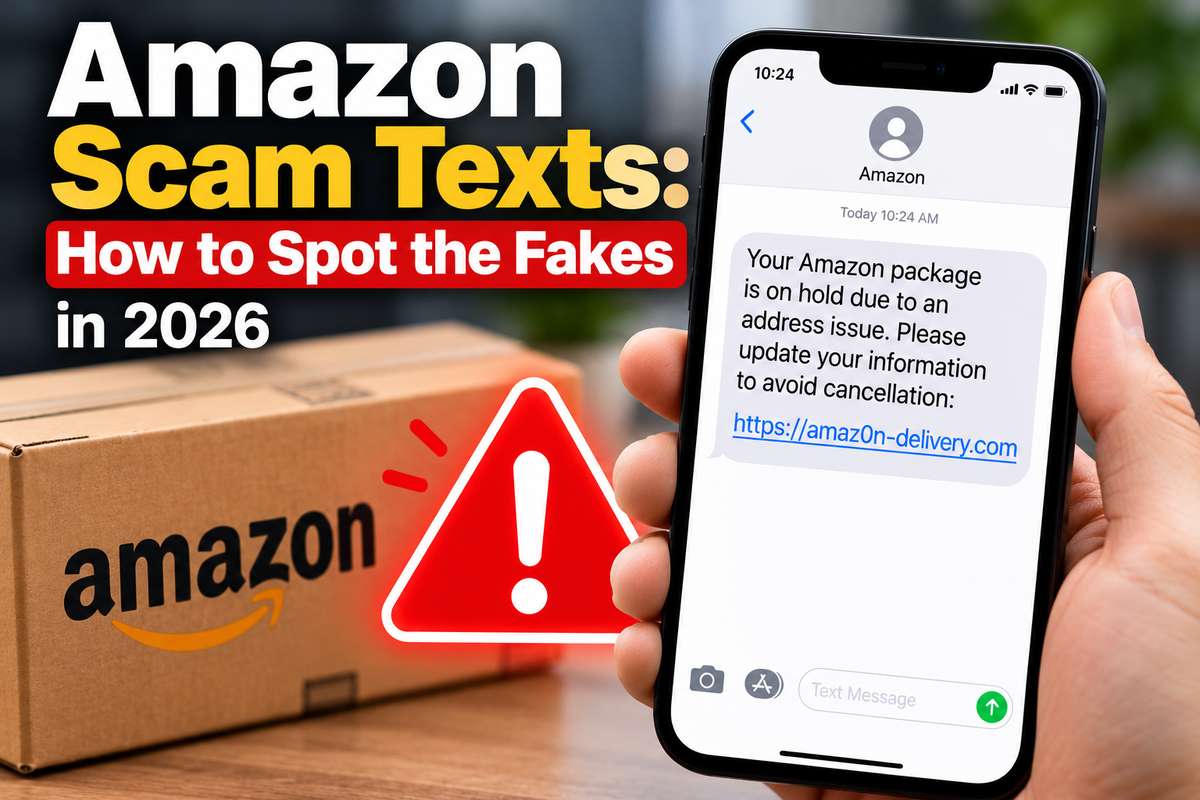
Scam texts are just part of life now, honestly. Fake parcel delays, fake bank alerts, fake prizes. But the ones pretending to be Amazon are some of the sneakiest, because almost everyone has an Amazon account and almost everyone has a package on the way at any given moment. So a text about an order doesn’t feel strange. That’s the whole trick.
What bugs me is how good they’ve gotten. The spelling is fine now. The logos look right. Some even include a real order number.
So I put together the main Amazon scam texts doing the rounds this year, what each one is really after, and what to do if you already tapped the link. Because a lot of people have, and there’s no shame in it.
The Code Text: Is 98626 Real?
Let’s start with the one that confuses people most. You get a text with a verification code you never asked for. Some people get it from 98626, and the first question is whether that number is actually Amazon.
I’ll be straight with you. I couldn’t find Amazon confirming 98626 anywhere official. One of Amazon’s own help pages mentions a different short code, 35213, for its messages. But honestly, the number matters less than you’d think. Scammers can’t easily fake a short code, yet they don’t need to.
How the Amazon Code Text Scam Works
Here’s how the Amazon code text scam usually plays out:
- Someone tries to log into your account. They have your email and maybe an old password from some leak.
- Amazon sends you a real code. This part is genuine, which is what makes it so convincing.
- A second message or call follows. Someone posing as Amazon says your account is under attack and asks you to read the code back “to block it.”
- You hand over the key. That code finishes their login, not yours.
So the rule is dead simple. Never share a code with anyone, ever. Amazon will not ask for it. Then change your password and check your recent orders. If something odd turns up on your bank statement afterward, it helps to know what a normal Amazon Digital charge looks like, so you can spot what isn’t.
Refund and Safety Recall Text Scams
This is the one I’d watch most closely right now. The Amazon safety recall text scam claims an item you bought is being recalled, tells you to stop using it, and offers a refund through a link. It often names a “Product Safety Team” and sometimes includes an order number.
These fake recall texts surged again in spring 2026. The link goes to a fake Amazon sign-in page. Type your password and card details there, and they’re gone.
The Refund Text Variation
A close cousin is the Amazon refund text. It says you’re owed money, maybe for an overcharge or a late delivery, and you just need to “confirm your details” to receive it.
Sure, a refund sounds nice. But think about it for a second. Amazon puts refunds back on your original payment method automatically. It never needs you to click a text to get your own money back. That’s why every Amazon scam text refund offer should set off alarm bells straight away, no matter how official it looks.
Real recalls show up in your account, by email, or as an app notification. Amazon has a whole “Your Recalls and Product Safety Alerts” page for this. Check there, not the link.
Prime Video and Prime Membership Scams
Every so often a headline pops up saying Amazon Prime Video users are targeted by a new scam. And every time, it’s true, just with a new coat of paint.
The common versions go like this. Your Prime membership is about to renew at a surprising price. Or your payment method failed and Prime Video will stop working unless you update it. There’s always a button to “cancel” or “fix” it. That button leads to a fake login page.
Amazon actually emailed its Prime members a warning about exactly these messages, so it’s not some fringe thing. And here’s a nice irony: when Prime Video genuinely stops working, it’s almost never a payment problem. It’s usually your TV or Wi-Fi, which I covered in my guide on what to do when Prime Video is down.
Is Amazon Prime Itself a Scam?
Some people go further and ask whether Amazon Prime is a scam. No, it’s a real subscription. But the question isn’t completely silly.
In 2025, Amazon agreed to pay $2.5 billion to settle a US government case over how it signed people up for Prime and made cancelling difficult. So if Prime has ever felt a bit sticky to leave, you weren’t imagining it. Still, a frustrating subscription and a scam text are two very different things.
Mystery Boxes and Fake Job Offers
Not every Amazon scam arrives as a text. Some show up as ads, and some show up as job offers.
Amazon Mystery Box Scams
Amazon mystery box scams usually start with a social media ad. “Unclaimed Amazon return pallets, $39!” The video shows someone unboxing iPhones and laptops. The site looks like Amazon, there’s a countdown timer, and stock is “almost gone.”
You pay, and then nothing arrives. Or you get a keychain. Some people report extra charges on their card later. Real Amazon liquidation pallets do exist, to be fair, but they sell to resellers for hundreds or thousands of dollars, not to random shoppers for $39.
The Amazon Recruiting Scam
The Amazon recruiting scam is everywhere this year. A text from a “remote recruitment team” offers $100 to $600 a day for an hour of easy work. Openings are limited, of course. You’re asked to reply or message a different number.
That version is still spreading with new names and numbers as of late summer. It usually ends with a “task” job where you deposit your own money to unlock fake earnings. Real Amazon jobs live on Amazon’s careers site. Nobody gets hired through a random text.
How to Spot a Fake and What to Do If You Clicked
Most of these scams share the same tells. Once you see them, you’ll notice them everywhere.
- Urgency. “Act within 24 hours” or “your account will be suspended.” Amazon doesn’t rush you like that.
- A link to a weird web address. Real Amazon addresses end in amazon.com, or your local Amazon domain. Anything else is a no.
- A request for codes, passwords or card numbers. Amazon never asks for these by text.
- Gift card payments. If anyone wants payment in gift cards, it’s a scam. Every single time.
Amazon also added a newer trick in September 2026. You can forward a suspicious message to verify@amazon.com, and Amazon will tell you whether it’s real.
If You Already Clicked
Don’t panic. It happens to smart people all the time. Here’s the order I’d go in:
- Change your Amazon password right away, and turn on two-step verification.
- Check your orders and saved addresses for anything you didn’t do.
- Call your bank if you entered card details. They can block the card.
- Report the text to Amazon’s scam reporting page and forward it to 7726, the spam reporting number in the US, UK, and several other countries.
Where These Scams Go Next
I think these texts will keep getting better. AI makes it cheap to write perfect messages in any language, at any volume. The clumsy, misspelled scam text is basically extinct already.
The good news? The basic defense doesn’t change. Don’t trust the message. Go to the app yourself. That one habit beats almost every trick on this list. If you want to think about security more broadly, my guide to cybersecurity risk management covers the bigger picture.