
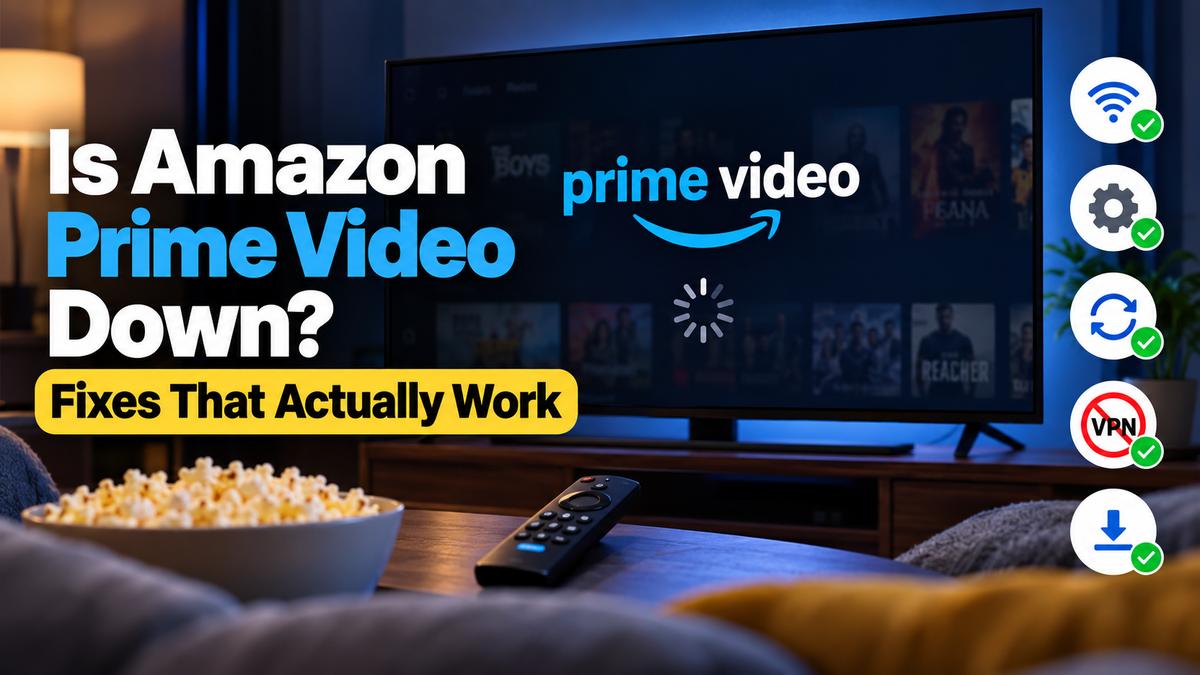

Few things annoy me more than this. I sit down, pick something to watch, hit play, and Prime Video just spins. Or it throws an error. Or the screen goes black and stays black.
So, is Amazon Prime Video down, or is it just me? That’s always the first question. And honestly, it’s the right one, because the answer changes everything you do next.
Here’s the thing: most of the time it’s your device or your connection, not Amazon. But real outages do happen, and when they do, no amount of restarting will help. Below I’ll show you how to tell the difference fast and then how to fix the problems that are actually on your end.
Is It Down for Everyone or Just You?
Start here. It saves a lot of wasted effort.
Amazon doesn’t run a public status page for Prime Video, which I find a bit odd for a company that size. So you have to check other ways.
- Check an outage tracker. Sites like Downdetector collect user reports in real time. An Amazon Prime outage map there shows where reports are clustering. A sudden spike usually means a real problem.
- Search social media. If people are posting about it, you’ll know within seconds. Amazon’s support account usually replies too.
- Try a second device. Open the app on your phone. If it works there, the issue is your TV or streaming stick.
Is primevideo down? Is Amazon streaming down? However you phrase it, it’s the same question, really, and the same checks answer it.
When It Really Is Amazon
Big outages are rare, but they’re messy. In October 2025, a DNS problem inside Amazon Web Services knocked out Prime Video along with a long list of apps. Amazon.com, Fortnite, Snapchat and Roblox all went down with it.
That’s the part people miss. An Amazon Prime Video outage is often an AWS problem underneath. If AWS stumbles, half the internet stumbles too. In that case, you wait. That’s it. No fix on your end touches an Amazon video outage like that.
Why Is Prime Video Not Working?
If the outage checks come back clean, the problem is local. Amazon Prime not working while the trackers stay quiet is annoying, sure. But at least you can fix it.
So why is Prime Video not working when everyone else seems fine? In my experience, it’s almost always one of these.
- A slow or unstable connection. Streaming in HD needs steady bandwidth. Wi-Fi that drops in and out will break playback long before a web page feels slow.
- An outdated app. Old app versions stop talking to Amazon’s servers properly. This one catches people on TVs that never update on their own.
- A cluttered cache. Apps store temporary data. Sometimes that data gets corrupted, and the app chokes on it.
- A VPN or DNS setting. Amazon blocks a lot of VPN traffic. If you run one, it’s the first thing I’d switch off.
- Account or payment trouble. Some errors point to your account, not the stream.
Error codes help a lot here if you get one. There’s a handy list of Prime Video error codes and what each one usually means. Codes in the 1000 and 7000 range tend to be connection problems.
When Amazon Prime is not working on just one screen, it’s nearly always the app or the device. Rarely the account.
Prime Video Not Working on Your TV
TVs are where I see the most trouble. Smart TV apps are slower to update and their hardware is weaker than a phone’s. It shows.
Got Amazon Prime not working on TV? Run through this in order. Don’t skip ahead.
- Power cycle everything. Unplug the TV and router for a full minute. Not just standby. Actually unplug them.
- Update the app and the TV firmware. Check the TV’s settings menu for system updates too.
- Clear the app’s cache or reinstall it. On most TVs, deleting and reinstalling the app does the same job.
- Sign out and sign back in. Old login tokens cause weird failures.
Still Prime not working on TV after all four? Then the TV app itself is the weak link. Why is Prime Video not working on my TV when my phone plays fine, you ask? Usually that exact reason. And is Amazon Prime TV down as a service? Almost never on its own.
Samsung TVs
Prime Video not working on Samsung TV models is a common complaint. The fix that works most often, in my experience, is a cold boot. Hold the remote’s power button until the TV restarts. Then clear the app’s cache from the Apps menu if your model allows it.
Fire TV
Is Fire TV down, or just your stick? Ask the same question as before. If other apps on the stick work, reinstall Prime Video. If nothing loads at all, the stick itself probably needs a restart.
People also report the odd Amazon TV glitch, like frozen menus or missing rows. A restart clears most of those.
Black Screen and Not Loading Fixes
These two problems feel the same, but they’re not.
The Black Screen
A Prime Video black screen with sound playing usually points to HDCP. That’s the copy protection between your device and TV. An older HDMI cable or a cheap adapter can break that handshake.
Try a different HDMI cable first. Then try a different port. If you’re screen mirroring or using a capture card, stop. Those trigger it constantly.
On a computer, the Amazon Prime Video black screen problem is often hardware acceleration in the browser. Turn it off in your browser settings and reload.
When Nothing Loads
Prime Video not loading at all is usually about your network. Run a speed test. If you’re getting less than a few megabits on Wi-Fi, that’s your answer.
Move the router closer, or plug in a cable. A lot of the same tricks that reduce lag in online games help with streaming too, honestly.
If Amazon video not loading is the problem only on one profile or one title, it may be a region or licensing issue. Try another title to check.
Sometimes Amazon Prime Video not loading is just a bad server node. Wait ten minutes and try again. I know, that’s not satisfying advice. But it works more often than you’d think.
Amazon App and Website Not Working
Sometimes the problem isn’t streaming at all. It’s the shopping side.
Amazon app not working today? Check whether the site works in a browser. Is Amazon site down for everyone? The same outage trackers will tell you.
Amazon website not working on your phone but fine on a laptop? Try the desktop site. You can switch to the Amazon desktop version on phone browsers from the browser’s menu. It’s clunky, but it often gets you past a broken mobile page.
Common Amazon App Problems
Most Amazon app problems come down to three things: an old version, a full cache, or a bad login. Update, clear, and sign in again. In that order.
If you’re still wondering why Amazon is not working after that, check your payment method. Expired cards cause surprising failures. And while you’re in your account, it’s worth knowing what each Amazon Digital charge on your statement actually means.
Most other issues with Amazon app installs, like endless loading or blank pages, clear up with a reinstall. What’s wrong with Amazon app setups on phones is rarely deep. It’s just stubborn.
Amazon not loading at all, even in a browser, sends you back to the outage checks at the top.
Amazon Music, Deliveries and Bigger Outages
A big Amazon outage rarely hits just one service. So, is Amazon Music down at the same time? Often, yes. They share a lot of the same backend.
When everything goes dark at once, plenty of people assume an Amazon power outage hit the data centers. Usually it’s a network or software failure instead. Same result for you, though.
And is Amazon delivering today due to outage worries? In most cases, deliveries keep running. Warehouses and drivers rely on different systems than the video app does. Your package probably still shows up.
Old Names, Same Problems
Some people still call it Amazon Instant Video, the service’s old name. Amazon Instant not working for you? Everything above still applies.
The same goes for Amazon Instant Video not working on older TVs. Those apps sometimes lose support entirely. If yours hasn’t updated in years, a cheap streaming stick may be the real fix.
What’s Next for Prime Video Reliability
I don’t think outages are going away. Amazon keeps adding live sports, ads and more channels. More moving parts usually means more ways to break.
On the bright side, most problems stay on your side of the screen. So keep your apps updated, restart things now and then, and check an outage tracker before you tear your setup apart. It saves a lot of time. And a bit of sanity, too.