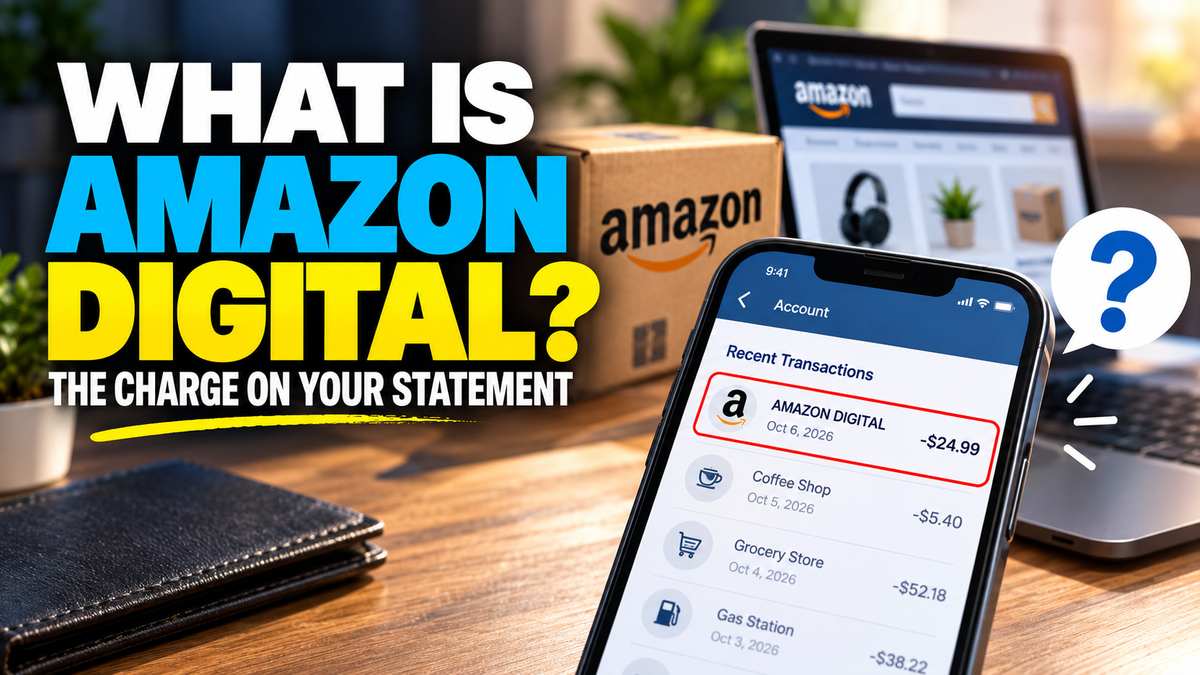
I’ve had this happen more than once. A small charge shows up on my card, it says something like “AMZN Digital,” and for a good minute I have no clue what it is. Usually it’s something I bought late at night and forgot about. Usually.
So if you’re asking what Amazon Digital is right now, you’re probably staring at a bank statement. Maybe a little annoyed. Maybe a little worried. Fair enough, honestly.
Here’s the thing: most of the time, it’s nothing sinister. But “most of the time” isn’t “every time,” and I’ll get to the bad cases too. Below I’ll walk through what these charges are, how to trace one back to an actual purchase, and what to do when you genuinely can’t.
What Is Amazon Digital, Really?
Amazon Digital is the label Amazon puts on anything you pay for that doesn’t arrive in a box. Ebooks, movie rentals, apps, music, and subscriptions. If it lives on a screen, it probably bills this way.
The company behind it is Amazon Digital Services LLC. That’s Amazon’s own billing arm for digital goods. It’s not some third party sneaking onto your card, even if the name sounds a bit like one.
So what’s Amazon Digital doing on your statement when you only remember ordering, say, a phone case? Most likely you made a separate digital purchase on the same account. Amazon bills physical orders and digital orders through different channels. One shopping session can leave two very different lines on your statement.
And yes, it confuses almost everybody. I don’t think Amazon does this on purpose. Or maybe they just don’t care much. Either way, the label tells you the category, not the item.
If you’re wondering what AMZN Digital is, as opposed to the longer name, it’s the same charge. Your bank just abbreviated it.
What Are Amazon Digital Services?
Sure, “digital” covers a lot. But in practice, a handful of things cause almost every one of these charges. So, what are Amazon digital services, in plain terms?
- Prime Video rentals and purchases. Renting or buying movie bills separately from your Prime membership. This is the big one for most people, in my experience.
- Kindle books and Kindle Unlimited. Single ebook purchases and the monthly Kindle Unlimited plan for both land here.
- Prime Video channels. Add-ons like Starz bill through Amazon every month. Free trials quietly turn into paid ones, which catches a lot of people.
- Audible and Amazon Music Unlimited. Both are monthly plans, and both are easy to forget once they’re running.
- Appstore apps and in-app purchases. Kids on a Fire tablet can rack these up fast. Ask me how I know. Actually, don’t.
- Amazon Photos storage. Extra storage tiers renew on their own, month after month.
When people talk about a digital service Amazon charges, they nearly always mean one of these six. Prime itself is a separate thing, by the way, though it sometimes shows up with similar wording.
Amazon Statement Labels, Decoded
Banks cut merchant names short. Some only show a limited number of characters, so the same charge can look different from one bank to the next. That’s where most of the confusion starts.
Amazon Digi, Amazon Digit and Amazon DL
That’s how you end up searching for what is Amazon Digi at 1 a.m. It’s the same Amazon Digital charge, just chopped off early.
Someone else sees “Amazon Digit” and wonders what is Amazon Digit, as if it’s a brand-new product. It isn’t. Same charge, one more letter.
Depending on your bank, you might even get something as clipped as “Amazon DL.” I’ve seen worse.
There’s also a longer variant floating around, the Amazon Digital Services Svcs style label. Sometimes it’s just “Amazon Digital Svcs.” Either way, it points to the same billing entity.
AMZN Mktp and AMZN Mktp CA
AMZN Mktp is a different animal. It means Amazon Marketplace, so a physical item from a third-party seller.
AMZN Mktp CA is the Canadian marketplace version. If you never shop on Amazon.ca, look at that one closely. It could be a gift order, or it could be something worse.
PMTS Meaning
The PMTS meaning is simpler than it looks: it’s short for payments. You’ll see it on Prime renewals and Marketplace orders. It also turns up for purchases made with Amazon Pay on other websites, which is the part people forget.
Kindle Services Charge
A Kindle services charge, often shortened to “Kindle Svcs,” means ebooks or Kindle Unlimited. Not much mystery there, thankfully.
What Is an Amazon Digital Download?
What is digital download on Amazon? It’s any item you get as a file or a license instead of a package. Nothing ships. It just appears in your library.
And what are Amazon digital downloads in practice? Mostly ebooks, music, PC games, software and movies you “own.” I put “own” in quotes on purpose. You’re really buying a license to access the thing, and that bugs me a little, honestly. But that’s a rant for another day.
Each AMZN digital purchase ties back to one item and one order. That’s actually good news. It means every one of these charges has a paper trail, even if the statement label is useless.
How to Trace an Amazon Digital Charge
This is the part that actually solves the problem. It takes about five minutes, maybe less.
- Open Digital Orders. Go to Your Orders and switch to the Digital Orders tab. Match the date and amount to the line on your statement. Most mysteries end right here.
- Check Memberships & Subscriptions. This page lists every recurring plan on your account. Look for channels, Kindle Unlimited, Audible and anything with “trial” in the name.
- Look at Your Payments. The Transactions view shows every charge Amazon made to each card. It’s the closest thing to a statement Amazon gives you.
- Ask the household. A partner, a teenager, and a kid with a Fire tablet. Shared accounts cause more “mystery” charges than hackers do, in my opinion.
- Think beyond Amazon.com. If the label says PMTS, you might have paid on another site through Amazon Pay.
One wrinkle worth knowing: a rental paid with a Prime Video credit never hits your card at all. Those credits usually come from picking slower shipping. So if a rental in your history doesn’t match any charge, that’s probably why.
How to Get a Refund or Stop the Charges
Found it, and you don’t want it? Good. Now it depends on what it was.
Ebooks
Kindle books are the easiest. You can usually return an accidental Kindle purchase within seven days from the Digital Orders tab. Amazon may refuse if you’ve read a big chunk of the book, which is fair enough.
Subscriptions and Channels
Cancel these from Memberships & Subscriptions. Cancelling stops the next charge. It doesn’t refund the last one automatically, so contact customer service if you want that money back too. In my experience, they’re reasonable about it when you ask quickly.
Rentals, Apps and Kids
Movie rentals are tougher. If you haven’t started watching, support will sometimes reverse it. Once you’ve hit play, I wouldn’t count on it.
For kids, the real fix is prevention. Turn on parental controls and require a PIN for purchases. Turning off 1-Click for digital content helps too. It’s a small hassle that saves a lot of awkward conversations.
When an Amazon Digital Charge Might Be Fraud
Sure, most charges are innocent. But some aren’t. Here’s when I’d stop assuming it’s a forgotten rental.
- Nothing matches anywhere. You checked every tab above and the amount simply isn’t there.
- The marketplace doesn’t fit. A charge from a country store you never use deserves a closer look.
- Lots of small charges in a row. Fraudsters often test a card with tiny amounts before going bigger.
If that’s you, change your Amazon password first. Then turn on two-step verification and check which devices are signed in. After that, call your bank and dispute the charge. Your bank can block the card and start a chargeback.
One more thing, and I can’t stress it enough. Amazon won’t text you a phone number to “cancel” a charge. If a message pushes you to call someone or click a link about a charge, ignore it. Go to your account directly instead. These texts keep getting more convincing, too, now that attackers use AI to write them.
Where This Is All Heading
Amazon keeps stacking more services under one account. More channels, more add-ons, more bundled trials. I expect these statement lines to get busier, not cleaner.
My advice? Spend five minutes a month on Memberships & Subscriptions. It’s boring. It also catches the trial you forgot to cancel before it bills you for the third time.