
AI-generated illustration
How much thermal paste on a CPU? A pea-sized dot. That’s honestly most of the answer. But people still panic over it, and I get why. It feels like the kind of thing you can mess up badly.
My old Acer Predator ran hot for years and never got a repaste. Looking back, it probably should have. So I dug into what actually matters here, and it’s simpler than most guides make it sound.
How Much Thermal Paste on a CPU Should You Use?
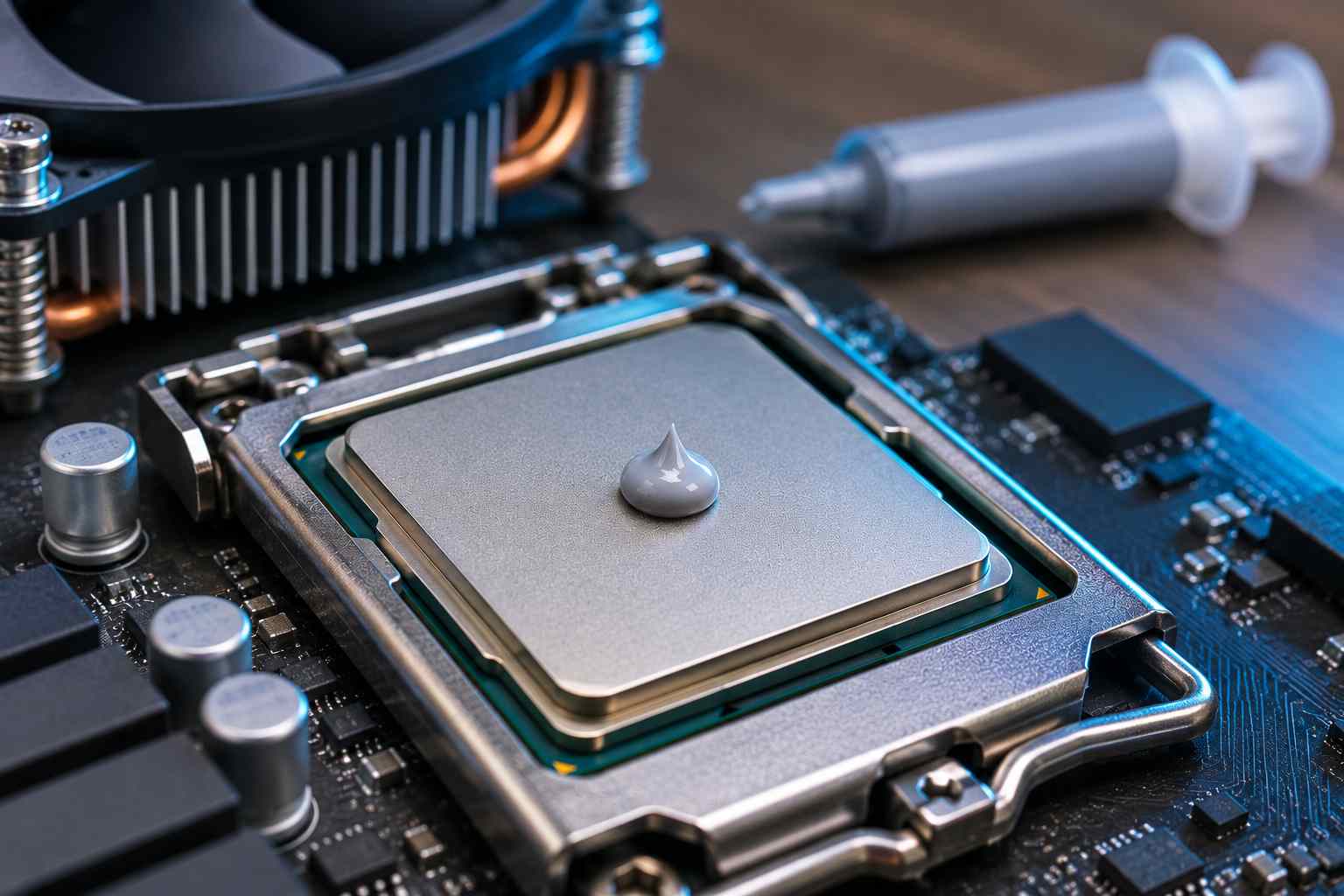
Use a dot about the size of a pea, roughly 4 to 5mm wide, in the center of the CPU. The cooler’s pressure spreads it out evenly when you mount it. For most desktop chips, that’s all you need.
Some people call it cooling paste, thermal compound or thermal grease. It’s all the same stuff, so the same pea-sized rule applies.
Too Much vs Too Little
Here’s the thing: too much paste is rarely a disaster. The extra just squeezes out the sides. Too little is worse, because it can leave bare spots where heat can’t move across.
Testing backs this up. When reviewers tested different amounts of thermal paste, the gap between a normal amount and a messy amount was tiny. Bare spots made a much bigger difference.
So if you’re unsure, err slightly on the generous side. Just don’t go crazy.
Best Way to Apply Thermal Paste to a CPU
There are a few popular methods. They all work if you use a sensible amount. Here’s a quick look:
|
Method |
How it works |
Best for |
|
Pea dot |
One dot in the center |
Most AMD and Intel desktop chips |
|
X pattern |
Thin X across the chip |
Large, rectangular chips |
|
Fie dots |
Center dot plus four corners |
Bigger chips, even coverage |
|
Spread |
Thin layer with a spreader |
Laptops and bare dies |
For most people, the pea dot is the way to go. It’s simple, and it’s hard to get wrong.
How to Apply Thermal Paste to a CPU, Step by Step
- Clean off the old paste. More on this below.
- Put a pea-sized dot in the center. Squeeze the syringe gently.
- Mount the cooler straight down. Don’t slide it around once it touches.
- Tighten the screws evenly. Work in a cross pattern, a little at a time.
That’s really how to apply thermal paste for a CPU. No spreading needed for most desktop chips. The cooler does it for you.
Applying Thermal Paste to Large CPUs
Bigger chips need a bit more. AMD’s Threadripper chips, or long Intel chips on LGA1700 and LGA1851, have a larger metal lid. An X pattern or five dots gives better coverage. Applying thermal paste to a CPU this size with one small dot can leave the edges dry.
How to Clean Thermal Paste Off a CPU
You need clean surfaces before you put new paste on. Here’s how to clean thermal paste off a CPU:
- Wipe off the bulk. Use a paper towel or lint-free cloth.
- Use isopropyl alcohol. 90% or higher works best. Put a little on the cloth, not straight on the chip.
- Wipe gently until shiny. Clean the cooler’s base the same way.
- Let it dry. It only takes a minute.
Don’t scrape it with anything metal. And keep paste out of the socket, especially on chips with exposed pins.
How Do I Clean Thermal Paste Off a CPU That’s Stuck?
Old paste can go hard and crusty. A bit more alcohol and some patience usually loosens it. A cotton swab helps around the edges. If the CPU is stuck to the cooler, twist the cooler gently first. Never yank it straight up.
What Is the Best Thermal Paste for a CPU?
The best thermal paste for a CPU is any well-known, non-conductive paste from a trusted brand. Arctic MX-6, Noctua NT-H2 and Thermal Grizzly Kryonaut are all popular picks. For a normal build, the difference between good pastes is just a few degrees.
Should You Use Liquid Metal?
Liquid metal cools better, but it conducts electricity. One spill can short your motherboard. I’d skip it unless you really know what you’re doing. A regular thermal compound for a CPU is safer and good enough.
CPU Paste at Best Buy and Other Shops
You can find CPU paste at Best Buy and most electronics stores. Searching thermal paste for a CPU near me usually turns up a few options. Just avoid no-name tubes. Cheap paste can dry out quickly, which defeats the point.
Does a New CPU Come With Thermal Paste?
Many coolers come with paste already on them, so you often don’t need to add any. If your cooler has a gray patch on the base, that’s paste. Don’t add more on top. Just mount it.
If you remove that cooler later, you’ll need to clean it and apply fresh paste. One hands-on test of every application method came to a similar conclusion: the method matters less than full coverage.
When Should You Replace Thermal Paste?
Thermal paste dries out over time. Most pastes last three to five years before temps start creeping up. Replace it sooner if your temps suddenly rise, or if you remove the cooler for any reason.
A repaste is also a great fix for an old laptop. If your laptop runs hotter than it used to, dried paste is a likely cause. My guide on normal CPU temps can help you tell if yours is running too hot.
Rule Out the Fan First
Also check that the fan is fine. A CPU fan error or a clogged fan can look like a paste problem.
Repasting for an Upgrade
If you’re dropping in a new chip, like one from my best AM4 CPU list, use fresh paste. Always. Old paste from a different chip won’t spread properly again.
Frequently Asked Questions
A pea-sized dot in the center, about 4 to 5mm wide. The cooler spreads it.
Clean the old paste off, put a pea-sized dot in the center, then press the cooler straight down and tighten the screws evenly.
Wipe off the bulk with a lint-free cloth, then use 90% or higher isopropyl alcohol until the surface is shiny.
Not really. Extra paste squeezes out the sides. Just keep it out of the socket.
Every three to five years, or any time you remove the cooler.
My Take
Thermal paste isn’t as scary as it looks. Clean surfaces, a pea-sized dot, mount the cooler straight. Done. The paste brand matters less than people think, and the method matters even less.
If I could go back, I’d have had my old Predator repasted years earlier. It might have saved me a lot of heat headaches. If your machine is getting old and warm, a fresh layer of paste is one of the cheapest upgrades you can give it.