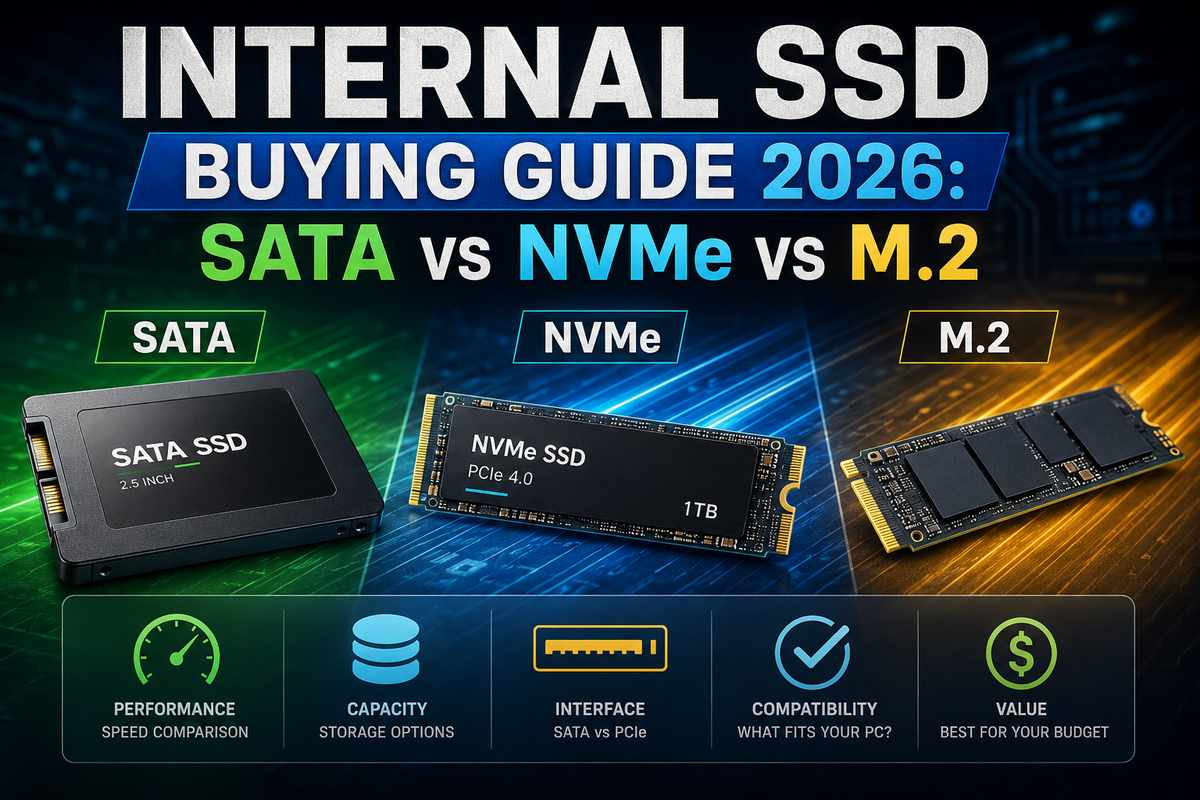

Buying an internal SSD used to mean picking a capacity and. Between SATA, NVMe, and confusing M.2 sizing, manyives, NVMe drives, and the confusing overlap of both living under the same “M.2” label, it’s genuinely easy to buy the wrong thing. Even when you’re trying to get this right. This guide is my attempt to untangle it.
If you’re building a full system instead of just swapping a drive, our gaming PC buying guide covers how storage fits into the bigger picture. It’s not an afterthought; it’s alongside your CPU and GPU choices.
SATA vs NVMe: The Real Difference
A 2.5 sata ssd and an nvme drive both technically count as SSDs. They connect and perform completely differently, though. SATA SSD vs. NVMe comparisons hinge on one key point. SATA III caps out around 600MB/s, full stop, no matter how good the drive itself is. NVMe drives, running over PCIe, can hit multiple gigabytes per second on that same system.
A 2.5-inch sata ssd remains the easiest upgrade path for older laptops and desktops. SATA connectors have been the standard for two decades now, so compatibility is rarely an issue. Hdd and sata drives share that exact connector type. That’s the whole reason swapping an old mechanical drive for a 2.5 SATA solid-state disk is such a common first move. If your system only has SATA ports, an nvme drive just won’t fit the interface. Check your motherboard or laptop specs first before you buy either type.
M.2 Form Factors Explained
M.2 refers to the physical shape of the drive, not the speed. This one trips up more buyers than almost anything else in this category, and I get it, the naming is genuinely confusing. An m.2 2280 ssd is the standard size, 22mm wide and 80mm long. It’s what fits in most modern desktops and laptops. An m.2 2230 ssd is much shorter and common in compact laptops and handheld gaming PCs where space is tight.
Here’s the part that actually confuses people. M.2 drives can run either SATA or NVMe protocols, depending on the model and the slot. Two drives that look completely identical on the outside can perform at very different levels. M.2 in a ram slot comes up as a search too, occasionally. Answer’s no. M.2 SSD slots and RAM slots are physically different and not interchangeable, even though both accept stick-shaped modules that look kind of similar at a glance. Check your specific slot’s supported protocol before buying, some boards only support NVMe in certain M.2 positions and SATA in others.
Choosing the Right Capacity
256 GB SSD and 500 gb ssd drives work fine as a secondary drive. They’re also fine for a lightweight laptop running mostly web browsing and office work. They fill up fast with anything more demanding, though. A 1 terabyte m.2 SSDs are the realistic starting point for most people running a modern OS plus a handful of apps or games.
For anyone gaming regularly, capacity needs can increase quickly. A good ssd for gaming in 2026 realistically starts at 1TB, a handful of AAA titles alone can eat that space now. Players chasing a bigger library often end up looking at a 3tb ssd or even a 5tb ssd. This is mostly to avoid the hassle of constantly uninstalling games just to make room. On the high end, a 10tb ssd exists for genuinely heavy users. However, at that tier, pricing per gigabyte rises steeply. Most people are better off pairing a speedy 1-2TB primary drive with cheaper bulk storage instead of chasing one massive SSD.
Installing an M.2 SSD
Installing an M.2 SSD correctly means matching the drive to the right slot and securing it properly. Power down and unplug the system first, always. Locate the M.2 slot on your motherboard, usually somewhere near the CPU socket. Remove the retention screw, insert the drive at a slight angle, press it flat, and reinsert the screw.
A samsung 1tb ssd or similar name-brand drive typically ships with basic mounting hardware included. Laptops sometimes require removing a bottom panel just to access the slot at all, so check your model first. Dell precision ssd cable questions come up a lot specifically because some workstation-class laptops use proprietary connectors or cable adapters for their storage bays. Checking your exact model’s service manual before ordering a replacement drive saves you a returned package later, trust me on that one.
SSD as Your OS Drive
Running your operating system from an ssd os setup, rather than a mechanical drive, is close to mandatory at this point. Boot times, application launches, and general responsiveness all improve dramatically. The price gap between SSDs and HDDs has narrowed enough now. There’s rarely a good reason left to run Windows or macOS off a spinning disk. Our SSD health guide covers keeping that OS drive running reliably once it’s in, since SSDs wear differently than mechanical storage over time.
Ssd 2.5 and ssd laptop searches often come from people specifically trying to squeeze more life out of an aging machine. In most cases, a SATA SSD swap is the single best- value upgrade you can make. Cheap, straightforward, and immediately noticeable in daily use, even on hardware that’s otherwise clearly showing its age.
Endurance and What Actually Wears Out
SSDs don’t fail the same way hard drives do. There’s no spinning platter here to physically break down. Instead, NAND flash cells wear down gradually with repeated write cycles, tracked through a spec called TBW, or terabytes written. A typical 1TB consumer drive has a rating of around 300-600TBW. For most people, this means a decade or more of normal use before wear becomes a concern.
Where this actually matters is workload. Heavy video editing, constant large file transfers, or running a drive as swap space for insufficient RAM. All of that chews through write cycles faster than typical gaming or office use. If you’re regularly hitting those heavier workloads, checking your drive’s wear percentage now and then is worth the five minutes it takes.
Final Thoughts
The largest solid state drive on the market doesn’t matter one bit if it’s the wrong form factor for your system. Match SATA to SATA ports and NVMe to NVMe-capable M.2 slots. Size the capacity to what you’ll actually use, not what looks impressive on a spec sheet. According to Tom’s Hardware’s SSD buying guide, matching the drive type to your motherboard matters more than chasing the fastest option. That holds whether you’re upgrading a ten-year-old laptop or building something new from scratch.