
I bought a GPU based purely on a spec sheet exactly once. Never again. The card looked great on paper. Then I actually sat down to play and couldn’t figure out why half my library felt slower than it had on my old setup. Marketing numbers and real numbers aren’t the same story, and that gap is basically the entire reason this guide exists. Spec sheets tell you what a card is capable of in theory. Benchmarks tell you what actually happens once real games, real drivers, and real thermals get involved.
If pricing is your main concern right now, our GPU price tracker covers where the market actually stands.
The RTX 5060 Family: Where Memory Becomes the Real Story
Rtx 5060 vs 4060 comparisons get asked about constantly, and the honest answer is that the improvement is real but modest. It’s not the kind of jump that makes an existing 4060 owner feel like they’re falling behind. What actually matters more than raw speed here is memory. Both cards ship with the same 8GB ceiling, a number that made sense a couple years ago and increasingly doesn’t anymore. Newer titles running texture-heavy settings are already bumping against that limit. It shows up as a stutter, not a clean frame rate number.
At 1080p with moderate settings, most people won’t notice. 5060 pc builds aimed at that resolution rarely run into trouble either way. Push into 1440p, or turn texture quality up in a demanding title, and that ceiling becomes the thing holding the card back, not the GPU core itself. This is exactly why the question of whether 5060 ti 16gb good for 4K comes up so often. People see the bigger VRAM number and assume it solves everything. It solves the stuttering. It doesn’t solve the underlying compute limitation, since the 5060 Ti’s core still isn’t built for native 4K rendering. Where the extra memory genuinely pays off is 1440p with real headroom. Or lighter 4K work, where DLSS does most of the heavy lifting rather than the raw hardware.
RX 9070 XT vs RTX 5070 Ti: Efficiency Versus Value
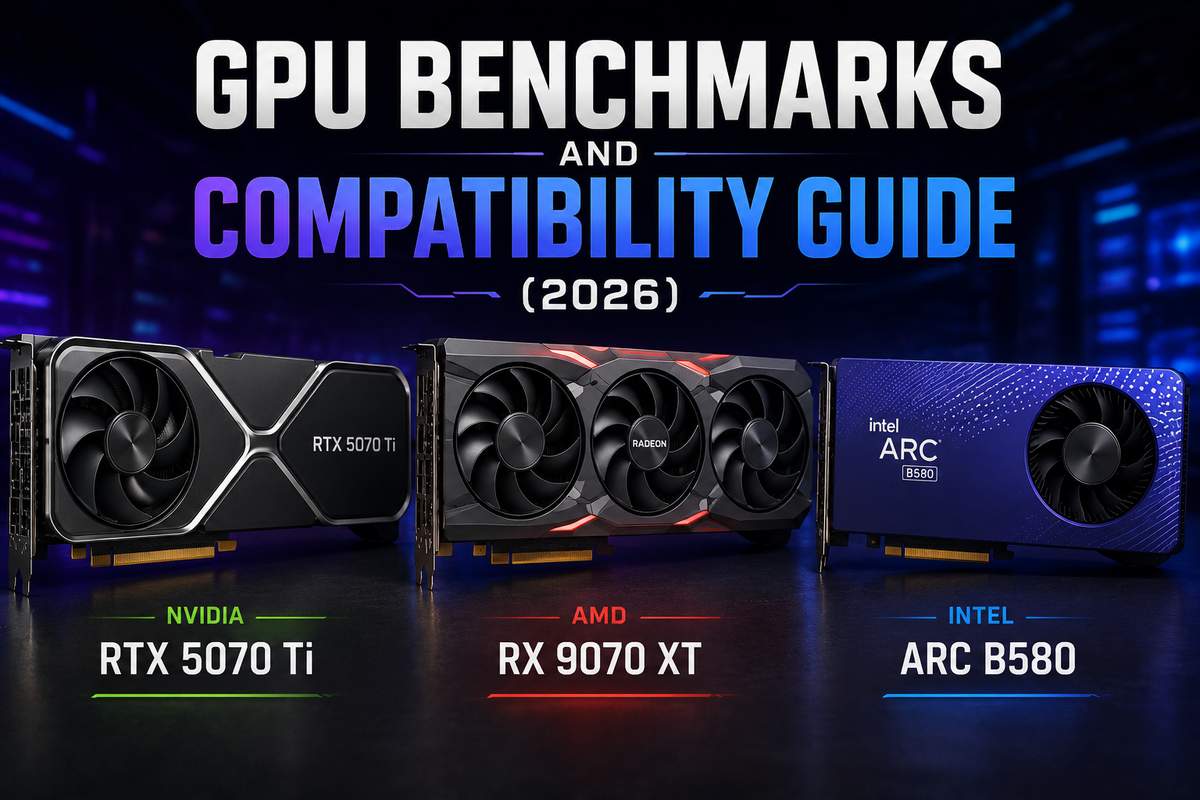
Set aside the 7800 xt vs 5080 chatter and the amd 9080 xt speculation for a moment. The matchup that actually matters this generation sits between the RX 9070 XT and RTX 5070 Ti. GamersNexus ran extensive testing here, and the story that emerges isn’t simple. Nvidia holds a clear efficiency advantage, pulling meaningfully less power for comparable output in ray-traced workloads specifically. That gap matters if you’re running a smaller case with limited airflow. Or you just don’t want your room heating up during a long session.
But efficiency isn’t the same thing as speed, and that’s where things get interesting. Rasterized performance between the two cards runs much closer than the power numbers suggest. Rtx 5070 ti vs rtx 9070 xt matchups in pure frame rate terms often favor AMD once pricing enters the picture. AMD has genuinely closed ground compared to where things stood a generation ago. For anyone not specifically optimizing around watts, the 9070 XT holds up as the stronger value pick given current pricing. If you’re curious where Nvidia goes from here, our coverage of the RTX 60 specs leak rounds up what’s been rumored. None of it is confirmed yet, though.
Intel Arc B580: The Card Nobody Saw Coming
I didn’t expect to be recommending an Intel GPU in an article like this, but here we are. Intel arc b580 vs rtx 4060 testing has gotten genuinely interesting as Intel’s second-generation Arc silicon has matured past its rocky first attempt. In several tested titles, the B580 lands right alongside the RTX 4060. Sometimes ahead of it, particularly where VRAM capacity matters more than raw compute.
Overclockers UK ran a three-way comparison putting the B580 against the RTX 5060 Ti and RX 9060 XT. It held its own better than the price tag would suggest. Driver overhead used to be Intel’s defining weakness in this space. That’s improved substantially since launch, not perfect, but genuinely better. For a budget build where value matters more than brand loyalty, this card has earned a real spot on the shortlist.
Can a 4070 Run Battlefield 6 at 60 fps
Can a 4070 run battlefield 6 at 60 FPS? This is exactly the kind of question a benchmark answers better than any spec sheet could. At 1440p on high settings, a 4070 clears 60fps comfortably in most current shooters, this one included. Push to 4K and you’ll want DLSS switched on. Or you’ll be nudging a setting or two down to hold that same floor through longer sessions without dips.
Older Hardware and Compatibility Questions
People are still running genuinely old cards, and that’s fine, but it changes what questions matter. Gtx 1660 ti and even nvidia geforce gtx 660 owners write in asking about compatibility fairly often. Both cards still function correctly on current drivers. They’re just far behind current performance expectations, which tracks given how many years separate them from anything shipping today.
Msi rtx 4080 and zotac 4080 amp extreme airo vbios questions come up frequently too. Usually from people troubleshooting something specific to that board partner’s firmware. Go straight to the manufacturer for vbios updates rather than trusting a generic third-party tool. A failed flash can genuinely brick the card. I’ve watched it happen to someone who was confident they knew what they were doing. Amd radeon hd 7850 territory is legacy hardware at this point. Fine for light use or a retro build, not something worth benchmarking against anything current. If you’re finally ready to move past hardware this old, our gaming PC buying guide walks through what a modern build actually needs.
Reading Benchmarks the Right Way
Here’s something worth understanding before trusting any single number. Not every benchmark measures the same thing, and treating them interchangeably leads to bad decisions. Synthetic tests like 3DMark measure theoretical throughput under tightly controlled conditions. They’re useful for comparing raw architecture, but they don’t always predict how a game actually feels to play. In-game benchmarks run inside real titles and capture the messier reality that synthetic tests miss. Driver overhead, CPU bottlenecks, whatever quirks that particular game engine has.
Average frame rate gets quoted constantly, but honestly the 1% low figures matter just as much. Arguably more, for how smooth a game actually feels. A card averaging 90fps with rough lows dipping into the 40s feels noticeably worse than one averaging 80fps with lows holding steady near 65. That’s counterintuitive on paper, but it’s consistently true in practice. When comparing numbers across different review outlets, check whether they’re only reporting averages or including that low-percentile data too. That distinction alone explains why two reviews of the same card read completely differently.
Resolution scaling deserves attention as well, since it’s easy to overlook while skimming a headline number. A card that dominates at 1080p won’t necessarily hold that same lead at 1440p or 4K. Bottlenecks shift as resolution climbs. Lower resolutions can mask a GPU’s true ceiling behind a CPU bottleneck that has nothing to do with the card itself. Higher resolutions strip that masking away and show you what the card can genuinely do on its own. Always check benchmarks at the resolution you actually plan to game at.
Final Thoughts
Benchmarks keep exposing what spec sheets quietly hide. VRAM limits, efficiency gaps, and driver maturity, none of it makes the box. Check real testing for your actual games and your actual resolution before committing to anything based on paper specs alone. GamersNexus put it well: efficiency and raw performance don’t always point toward the same winning card. Figure out which one actually matters for how you personally play before choosing between two options that look nearly identical on paper.