
Most businesses do not have a shortage of processes. They have a shortage of time to run them well.
Customer onboarding for organizations takes longer than it should. Invoices sit waiting for approval. Someone who has better things to do compiles the reports manually every Monday morning. New hires chase HR for documents that should have arrived automatically. These are not unique problems; they are the operational reality for the majority of growing businesses today.
Business process automation services exist to solve exactly these issues. The global BPA market is projected to grow from $13 billion to nearly $24 billion by 2029, and the businesses driving that growth are not all enterprise giants; they are mid-sized companies and fast-growing teams who have realized that automating the right processes is one of the highest-ROI investments they can make.
BPA Tools at a Glance;
|
Tool |
Best For |
Complexity |
Starting Cost |
|
Zapier |
Simple app-to-app automation |
Low |
Free tier available |
|
Make (Integromat) |
Multi-step workflows |
Medium |
Free tier available |
|
Microsoft Power Automate |
Microsoft 365 environments |
Medium |
Included in M365 |
|
UiPath |
Enterprise RPA |
High |
Quote-based |
|
Kissflow |
No-code BPM workflows |
Low–Medium |
From ~$1,500/mo |
The right tool depends on your existing tech stack and whether your processes need simple triggers or complex multi-system logic.
This guide explains what business process automation services actually include, walks through real examples across every major department, and gives you a practical roadmap to get started whether you plan to use a third-party service provider or implement automation in-house.
What are automation services for business processes?
Business process automation (BPA) refers to the use of technology to perform recurring business tasks and workflows with minimal human involvement. BPA services are the external expertise, platforms, and implementation support that help organizations design, build, and manage those automations. For organizations looking to go beyond standard workflows, our guide on BPM automation and intelligent automation covers the next level of complexity.
This is an important distinction. Buying automation software and using business process automation services are not the same thing.
When you purchase a tool like Zapier or Microsoft Power Automate, you have the capability to automate, but you still need to identify which processes to automate, map how they currently work, design the new automated workflow, build it, test it, and maintain it over time. BPA services handle some or all of that work for you.
Depending on the provider and your needs, BPA services typically include one or more of the following:
- Process discovery and audit—identifying which of your current processes are suitable for automation and prioritising them by ROI potential
- Workflow design and mapping — documenting how processes currently work and designing the automated version
- Platform selection — recommending and configuring the right automation tools for your specific environment
- Custom development — building automations that cannot be handled by off-the-shelf tools
- Integration services — connecting disparate systems so they can share data and trigger automations across platforms
- Ongoing management and optimization — monitoring automations in production, handling failures, and improving performance over time
Some organizations engage BPA services for the full lifecycle. Others bring in external help only for process discovery or for complex integrations, handling simpler automations in-house. Neither approach is universally better; the right model depends on your team’s technical capability and the complexity of your processes.
Business process automation examples by department
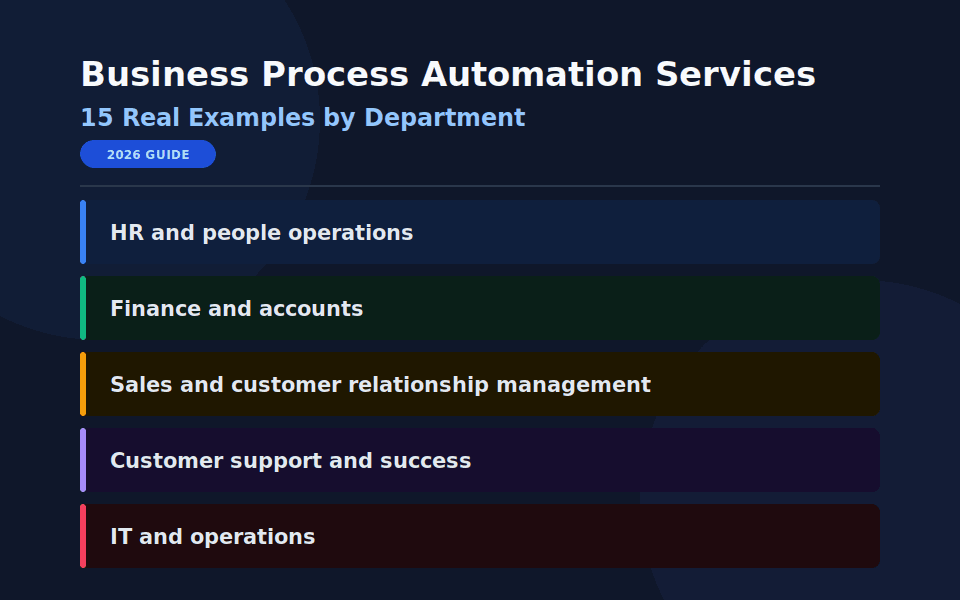
The most effective way to understand where automation creates value is to look at how it works across specific departments. The following examples represent the most commonly automated processes in each area and the measurable outcomes businesses report after implementing them.
HR and people operations
Human resources teams manage high volumes of repetitive, deadline-sensitive tasks that follow consistent rules, which makes them strong automation candidates.
Employee onboarding is one of the most impactful automation opportunities in HR. A typical manual onboarding process involves sending welcome emails, sharing policy documents, creating system accounts, assigning training modules, scheduling introductory meetings, and collecting signed forms, all performed manually across multiple systems and often spread across several people. Automated onboarding workflows trigger all of these actions the moment a new hire’s start date is confirmed in the HR system, with no manual intervention required. The result is a consistent experience for every new employee and significant time savings for the HR team.
Leave request management is another common example. Automation routes leave requests directly to the approver, updates balances upon approval, and notifies payroll all without manual intervention.
Payroll processing, collecting compliance documents, scheduling performance reviews, and offboarding checklists all have the same basic structure: a trigger event, a set order of actions, rules that are easy to follow, and outputs that go to other systems.
Finance and accounts
Finance departments handle some of the highest-volume, most error-sensitive processes in any organization. According to industry research, finance departments that automate invoice processing, approvals, and reporting typically save around $46,000 per year in reduced manual workloads, and that figure rises significantly as transaction volumes increase.
Invoice processing is the canonical finance automation example. Invoices arrive in various formats, need to be matched against purchase orders, are routed for approval based on amount and category, and are posted to the accounting system. Manually, the process takes significant time and produces consistent errors. Automated invoice processing extracts the key data, performs the matching, routes for approval, and posts to the ledger, reducing processing time from days to hours and error rates by up to 80%.
Expense report approvals follow a clear rule-based structure: expenses under a threshold auto-approve, expenses above it route to a manager, and out-of-policy expenses are flagged for review. This is exactly the kind of structured decision logic that automation handles reliably.
Financial reporting, month-end close checklists, bank reconciliation, and payment reminders are all processes where the inputs are already digital, the rules are consistent, and the manual effort is significant. All are strong automation candidates.
Sales and customer relationship management
Sales teams spend a disproportionate amount of productive time on administrative tasks that are not part of actual selling: updating CRM records, sending follow-up emails, scheduling calls, and tracking pipeline changes.
Lead routing is one of the most valuable sales automations. When a new lead comes in through a web form, automation can score it based on defined criteria (company size, industry, and role title); assign it to the appropriate sales representative; send a personalized acknowledgement email to the lead; create a CRM record; and schedule a follow-up reminder all within seconds of the form submission. Without automation, this sequence typically takes hours and involves multiple people.
Follow-up sequences ensure that reps don’t miss any leads because they are busy. Based on triggers like a demo booked, a proposal viewed, or a trial started, automated sequences send the right message at the right time without requiring manual tracking.
Contract generation, proposal sending, deal stage updates, and renewal reminders are all processes where sales teams spend time on administration instead of conversations. Automating them does not replace the relationship; it frees the salesperson to focus on it.
Customer support and success
Automation in customer-facing operations has a direct impact on satisfaction scores. When response times drop and queries resolve faster, customers notice.
Ticket routing and classification is the most common customer support automation. Incoming support tickets are automatically categorized by type and urgency, assigned to the team or individual best equipped to handle them, and acknowledged with an estimated response time. What previously required a support manager to manually triage every incoming request now happens instantly.
Customer onboarding sequences triggered by account activation send users through a structured series of guides, tips, and check-ins timed to match where they are in the product journey. Research shows that structured onboarding automation significantly improves product adoption and reduces early churn.
Renewal reminders, health score alerts, and escalation triggers when a customer’s engagement drops below a threshold: an alert routes to their account manager automatically rather than waiting for someone to notice manually.
IT and operations
IT departments report the highest ROI from automation of any department, according to a Salesforce survey: a 52% return, ahead of operations (47%), customer service (37%), and finance (30%).
User provisioning and deprovisioning are the clearest examples. When a new employee joins, they need accounts across multiple systems: email, project management, communication tools, and security access. Creating these manually is time-consuming and error-prone. Automating provisioning based on role and department ensures that the system consistently grants the right access on day one. Deprovisioning on exit is equally critical from a security perspective and is also equally automatable.
System monitoring and alerting, software deployment pipelines, backup verification, compliance reporting, and helpdesk ticket management are all processes where IT teams spend significant time on work that automation can handle more reliably and faster.
Key features to look for in a BPA service provider
If you are evaluating external automation services for business processes rather than building in-house, these are the criteria that separate genuinely capable providers from those who will leave you with a half-built system six months later.
Integration depth
Your processes do not live in one system; they span your CRM, your finance platform, your HR software, your communication tools, and potentially dozens of other applications. A BPA service provider needs demonstrable experience integrating the specific platforms you use, not just generic integration capability.
Process discovery methodology
Before you build any automation, you should conduct a structured audit of your current workflows. If a provider jumps straight to recommending tools without first mapping how your processes actually work, treat that as a warning sign. The discovery phase is where the real value is identified and where most failed automation projects were never properly started.
No-code and custom development capabilities
The right automation for a given process is not always a no-code solution, and it is not always custom-built. A strong BPA provider can do both and will recommend the right approach for each process based on complexity, maintenance burden, and long-term cost, not based on what is easiest for them to deliver.
Ongoing support model
Automations break, processes change, and new opportunities emerge. Understand upfront whether the provider offers ongoing maintenance, how support is handled when something fails in production, and what the process is for updating automations as your business evolves. A provider whose engagement ends at deployment is not a partner; they are a contractor.
Measurable outcomes
Any credible BPA service provider should be able to tell you, before you start, what metrics you will use to measure success in reducing cycle time, improving error rates, and recovering hours and should produce baseline measurements before implementation begins so you can demonstrate ROI afterward.
How to get started with business process automation services
Step 1: Identify your highest-priority processes
Before engaging any service provider or evaluating any platform, run an internal process audit. Talk to team leads across departments and ask, “What tasks consume disproportionate time, happen repeatedly, and produce consistent errors?” Score each candidate process by frequency, time cost, and error rate to identify where automation will deliver the most value.
For a detailed framework on how to run this audit and define your processes precisely, read our guide on defining business processes to automate for operational efficiency.
Step 2: Decide between a service provider and in-house implementation
This decision depends on three factors: your team’s technical capability, the complexity of the processes you want to automate, and your budget.
Simple, single-system automations like email triggers, form notifications, and basic data transfers are well within the capability of most operations or IT teams using no-code tools. If your processes are straightforward and your team is comfortable with workflow automation tools like Zapier, Make, or Power Automate, in-house implementation is often faster and more cost-effective.
Complex, multi-system automations, particularly those involving legacy systems, custom integrations, or significant exception handling logic, typically benefit from external expertise. The cost of a specialist getting it right the first time is usually lower than the cost of an in-house team iterating through failed attempts.
A hybrid model often works well: engage a BPA service provider for the initial process discovery, design, and complex builds, then maintain and expand in-house once the foundation is in place.
Step 3: Start with one process, not ten
The most common implementation mistake is trying to automate everything simultaneously. The result is a set of half-built automations, a team that has lost confidence in the initiative, and a difficult conversation about why the ROI has not materialized.
Choose one high-scoring process, ideally one with a clear trigger, consistent inputs, and limited exception cases, and automate it completely. Measure the results. Refine the approach. Use it as the template and the proof point for everything that follows.
A successful first automation builds the internal credibility that makes subsequent automations easier to fund, easier to implement, and easier to obtain team buy-in.
Step 4: Measure, report, and expand
Once your first automation is running, measure its impact against the baseline you established before deployment. Cycle time, error rate, and hours recovered are the core metrics. Report these results visibly to the team, to leadership, and to whoever approved the investment.
Then use the same process to identify your next highest-priority candidate. Automation capability compounds: each process you automate generates data, reveals new opportunities, and builds the organizational discipline to move faster on the next one. Businesses that automate systematically and measure rigorously are the ones that progress from one or two automations to dozens and from incremental efficiency gains to genuine competitive advantage.
Frequently Asked Questions
Robotic process automation (RPA) is a specific technology within the broader category of business process automation. RPA uses software robots to mimic human interactions with digital systems by clicking, typing, copying, and pasting across applications that do not work together. BPA is the wider strategy of automating business workflows, which may use RPA as one tool among several, alongside workflow automation platforms, API integrations, and AI-powered processing.
Costs vary significantly based on process complexity, the number of systems involved, and the scope of the engagement. Simple no-code automations built on existing platforms can be implemented for a few thousand dollars. Complex, custom-built multi-system automations with ongoing managed services can run from $30,000 to $250,000 or more. Most organizations find ROI within the first year. 95% of IT professionals report increased productivity after implementing process automation, according to research by Regina Corso Consulting.
A simple workflow automation can be implemented within days. A complex multi-system process with custom integrations typically takes four to twelve weeks from discovery to deployment. The process definition and design phase, mapping how the process currently works, redesigning it, and writing the automation specification, generally takes longer than the actual build, particularly for processes that have never been formally documented.
Yes, and increasingly so. The rise of no-code and low-code automation platforms has made BPA accessible to businesses of all sizes without requiring engineering resources. Small businesses often see proportionally higher ROI from automation because the manual overhead of repetitive tasks represents a larger share of their total capacity. The key is starting with the right process: high frequency, clear rules, consistent inputs, and significant time cost.
Prioritise processes that are high-frequency, rule-based, time-consuming, and error-prone. Invoice processing, employee onboarding, lead routing, customer notifications, and report generation are consistently among the highest-value starting points across industries. Your specific highest-priority process will depend on where your team currently spends the most time on work that does not require human judgment.
Final Words
Automation is not a transformation you complete; it is a capability you build. The businesses seeing the strongest results from business process automation services are not those that launched the biggest implementation but those that started with the right process, measured rigorously, and used each success to identify the next opportunity.
The processes that are slowing your team down today are not going to automate themselves. But with the right approach and the right services, they can be running on autopilot within weeks.