

Most people don’t think about DDoS attacks until something breaks.
The site goes down, pages stop loading, and suddenly you’re trying to figure out what just happened. By that time, though, you’re already dealing with the problem instead of preventing it.
The tricky part is that attacks like these don’t always hit all at once. Often, there are early signs. They’re just easy to ignore if you don’t know what you’re looking at.
What is a DDoS attack?
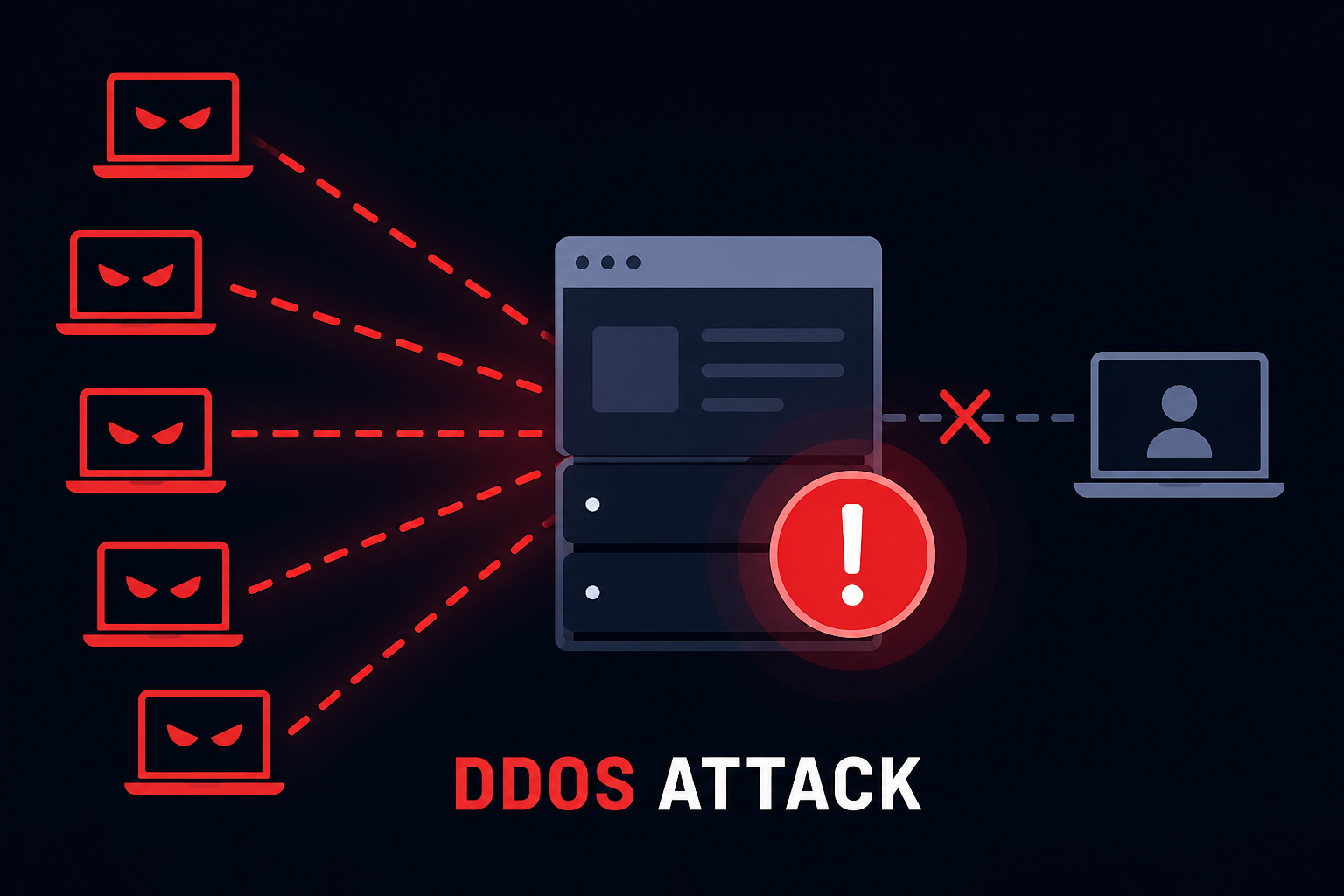
If you’re new, understanding what a DDoS attack is helps you recognize how these attacks work and why they’re dangerous. A DDoS (Distributed Denial-of-Service) attack is when a website gets flooded with traffic—not real users, but bots.
The server becomes overwhelmed trying to handle all those requests, and eventually, it slows down or stops responding altogether.
It’s less about hacking your site and more about exhausting it.
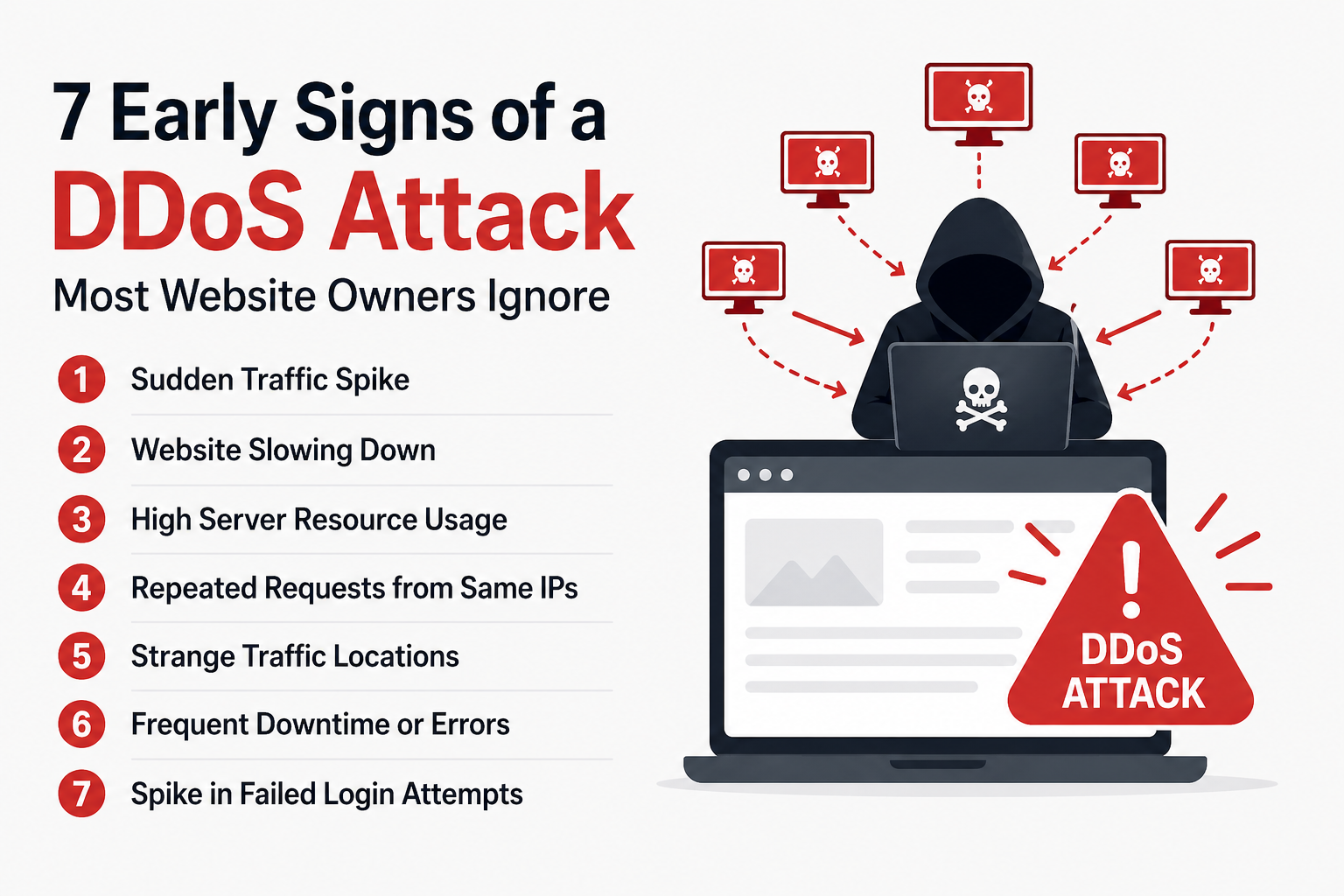
7 Early Signs of a DDoS Attack
1. Traffic Suddenly Jumps (But Nothing Explains It)
A spike in traffic can be remarkable but only when you know where it’s coming from.
If you didn’t publish anything new, run ads, or get featured somewhere, then a sudden jump should make you pause. This is especially true if the traffic does not behave like normal users.
Sometimes it looks like growth. It isn’t.
2. Your Website Feels… Off
This is usually the first thing people notice.
Pages take longer than usual. Sometimes they load, sometimes they don’t. You refresh once or twice; maybe it works, maybe it doesn’t.
It’s not completely down, just unstable. That’s often how it starts.
3. Server Usage Doesn’t Make Sense
If you check your hosting panel and see CPU or memory usage spiking, but your traffic numbers don’t seem that high, something’s off.
That mismatch is important.
Normal traffic patterns are usually predictable. When the numbers don’t line up, there’s usually a reason, and it’s not a favorable one.
4. Same Requests, Again and Again
Bots aren’t subtle.
They tend to hit the same pages repeatedly, sometimes hundreds of times in a short span. If you look into logs, you might notice the same IPs showing up over and over.
Real users don’t behave like that. They click around, they pause, they leave.
Bots just keep hitting.
5. Traffic from Places You Don’t Target
Let’s say most of your audience is from India.
Now suddenly you’re seeing traffic from countries you’ve never targeted, all at once, and in large numbers.
That doesn’t automatically mean it’s an attack, but combined with other signs, it starts to look suspicious.
6. Random Errors Start Appearing
At first, it’s occasional.
There is a 503 error here and a timeout there. You might ignore it, assuming it’s just a temporary glitch.
But then it keeps happening.
That’s when it’s worth paying attention, especially if your hosting has been stable before.
7. Login Attempts Keep Failing
If you’re using WordPress, this one shows up pretty clearly.
Multiple failed login attempts, unknown usernames, and requests happening every few seconds are not normal traffic.
Sometimes attackers mix brute-force attempts with DDoS activity, which just adds more pressure to your server.
What You Should Do Right Away
If a couple of these things are happening at the same time, don’t wait around trying to confirm it.
Act early.
You can start with simple steps:
- Enable protection through a service like Cloudflare
- Block IPs that clearly look suspicious
- Reach out to your hosting provider and ask them to check logs
- Keep an eye on traffic in real time
None of this is complicated, but timing matters.
If you want to avoid dealing with the issue altogether, it’s worth setting things up properly. Refer to the best DDoS protection tools for small websites.
One Small Tip (That Actually Matters)
Don’t wait until everything is confirmed.
You don’t need proof; you need patterns.
If 2–3 things feel off at the same time, there’s usually something going on. Acting early might feel unnecessary in the moment, but it’s a lot better than dealing with a completely down website later.
Frequently Asked Questions
What is the first sign of a DDoS attack?
Usually, the first noticeable sign is a sudden slowdown in your website. Pages may start loading slower than usual or time out randomly, even if your traffic hasn’t increased significantly.
Can a DDoS attack target a small website?
Yes, absolutely. Small websites are often easier targets because they usually have weaker protection. Many attacks are automated, so attackers don’t always choose targets manually.
How long does a DDoS attack last?
It depends. Some attacks last a few minutes, while others can continue for hours or even days. Larger attacks tend to come in waves rather than a single spike.
How can I protect my website from DDoS attacks?
You can reduce the risk by using services like Cloudflare, enabling firewalls, limiting login attempts, and monitoring your traffic regularly.
Is high traffic always a DDoS attack?
No, not always. High traffic can be genuine, especially during promotions or viral content. The key is to check user behavior. Real visitors interact differently than bots.