
Most people don’t think about DDoS attacks until something breaks.
The site goes down, pages stop loading, and suddenly you’re trying to figure out what just happened. By that time, though, you’re already dealing with the problem instead of preventing it.
The tricky part is that attacks like these don’t always hit all at once. Often, there are early signs. They’re just easy to ignore if you don’t know what you’re looking at.
What is a DDoS attack?
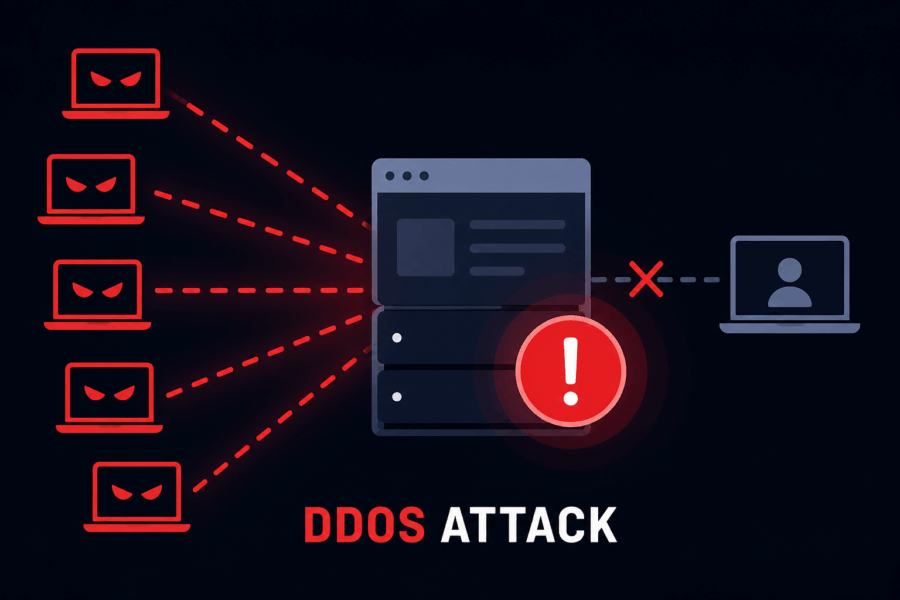
If you’re new, understanding what a DDoS attack is helps you recognize how these attacks work and why they’re dangerous. A DDoS (Distributed Denial-of-Service) attack is when a website gets flooded with traffic—not real users, but bots.
The server becomes overwhelmed trying to handle all those requests, and eventually, it slows down or stops responding altogether.
It’s less about hacking your site and more about exhausting it.
7 Early Signs of a DDoS Attack
1. Traffic Suddenly Jumps (But Nothing Explains It)
A spike in traffic can be remarkable but only when you know where it’s coming from.
If you didn’t publish anything new, run ads, or get featured somewhere, then a sudden jump should make you pause. This is especially true if the traffic does not behave like normal users.
Sometimes it looks like growth. It isn’t.
This kind of unusual traffic pattern is often the early stage of an attack. Using free DDoS protection tools for small websites can help filter out malicious traffic before it escalates.
2. Your Website Feels… Off
This is usually the first thing people notice.
Pages take longer than usual. Sometimes they load, sometimes they don’t. You refresh once or twice; maybe it works, maybe it doesn’t.
It’s not completely down, just unstable. That’s often how it starts.
3. Server Usage Doesn’t Make Sense
If you check your hosting panel and see CPU or memory usage spiking, but your traffic numbers don’t seem that high, something’s off.
That mismatch is important.
Normal traffic patterns are usually predictable. When the numbers don’t line up, there’s usually a reason, and it’s not a favorable one.
4. Same Requests, Again and Again
Bots aren’t subtle.
They tend to hit the same pages repeatedly, sometimes hundreds of times in a short span. If you look into logs, you might notice the same IPs showing up over and over.
Real users don’t behave like that. They click around, they pause, they leave.
Bots just keep hitting.
5. Traffic from Places You Don’t Target
Let’s say most of your audience is from India.
Now suddenly you’re seeing traffic from countries you’ve never targeted, all at once, and in large numbers.
That doesn’t automatically mean it’s an attack, but combined with other signs, it starts to look suspicious.
6. Random Errors Start Appearing
At first, it’s occasional.
There is a 503 error here and a timeout there. You might ignore it, assuming it’s just a temporary glitch.
But then it keeps happening.
That’s when it’s worth paying attention, especially if your hosting has been stable before.
7. Login Attempts Keep Failing
If you’re using WordPress, this one shows up pretty clearly.
Multiple failed login attempts, unknown usernames, and requests happening every few seconds are not normal traffic.
Sometimes attackers mix brute-force attempts with DDoS activity, which just adds more pressure to your server.
What You Should Do Right Away
If a couple of these things are happening at the same time, don’t wait around trying to confirm it.
Act early.
You can start with simple steps:
- Enable protection through a service like Cloudflare
- Block IPs that clearly look suspicious
- Reach out to your hosting provider and ask them to check logs
- Keep an eye on traffic in real time
None of these steps is complicated, but timing matters.
If you want to avoid dealing with the issue altogether, it’s worth learning how to prevent DDoS attacks before they happen.
One Small Tip (That Actually Matters)
Don’t wait until everything is confirmed.
You don’t need proof; you need patterns.
If 2–3 things feel off at the same time, there’s usually something going on. Acting early might feel unnecessary in the moment, but it’s a lot better than dealing with a completely down website later.
7 Early Signs of a DDoS Attack – FAQs
Most of the time, it’s just a gut feeling that your site feels “off.” Pages are slower than usual, things time out randomly, or you refresh a couple of times and it works, and then it doesn’t. It’s not dramatic at first, which is precisely why people ignore it. Don’t.
Check whether the spike makes sense. Did you publish something new? Run an ad? Get featured anywhere? If the answer to all of that is no, that’s your first red flag. Then look at how those visitors are behaving. Real users click around, pause, read things, and leave. Bots just keep hammering the same pages over and over without any of that natural variation.
Repetition is the giveaway. You’ll see the same IP addresses making the same requests dozens or hundreds of times in a short window. Sometimes it’s the same URL getting hit constantly. Normal users just don’t do that; they’re not that consistent.
Yes, and honestly, small sites are often easier targets precisely because they tend to have little to no protection in place. Most of these attacks aren’t hand-picked either; automated scripts just sweep through the internet looking for vulnerable servers. Your site doesn’t have to be important to get caught in that net.
This phenomenon is actually one of the trickier signs to spot. The attack traffic might not show up cleanly in your analytics, but your server is still working overtime trying to respond to all those requests behind the scenes. When the resource usage and the visitor numbers don’t match, that mismatch is worth taking seriously.
Not automatically, but combined with other signs, yes. A random spike from regions completely outside your audience, especially when it happens all at once and in large numbers, is a pattern worth paying attention to. On its own, it could just be a quirk, but stacked with slow load times or weird server behavior, it starts to look like something more.
A 503 error basically means your server is too overwhelmed to respond. In normal circumstances, you might see one or two occasionally. But if they start showing up repeatedly and your hosting has been rock-solid before that, your server is probably struggling under an unusual load, and an attack is one likely reason.
They can be. Attackers sometimes combine brute-force login attempts with DDoS traffic; it piles even more pressure onto your server at the same time. If you’re seeing a flood of failed logins from unknown usernames hitting every few seconds, that’s not random. It’s worth locking things down quickly.
It really varies. Some die out in minutes, especially if they’re automated scripts that move on to the next target. Others come in waves and can stretch over hours or even days. There’s no fixed rule, which is why having protection in place before anything happens is so much better than scrambling after the fact.
Yes. The whole point of tools like Cloudflare and similar DDoS protection services is that they handle the filtering automatically. Once you’re behind one, a lot of the early warning signs the article covers get dealt with before they even reach your server. It’s much easier than monitoring everything manually.
Final Words
Most website owners discover a DDoS attack only after everything is already down.
You don’t have to be one of them.
The signs are usually there before things get bad. There is a strange traffic spike, pages are loading incorrectly, and server usage is illogical. None of it feels urgent in the moment. That’s what makes it dangerous.
You don’t need fancy tools or a tech background to catch this early. You just need to pay attention.
Now you know what to look for. Use it.