
I will be honest. I had mostly given up expecting Apple to deliver a genuinely impressive AI update. After two years of Siri doing very little while ChatGPT and Gemini were lapping it, the bar felt underground.
Then WWDC 2026 happened yesterday, and Apple cleared it with room to spare.
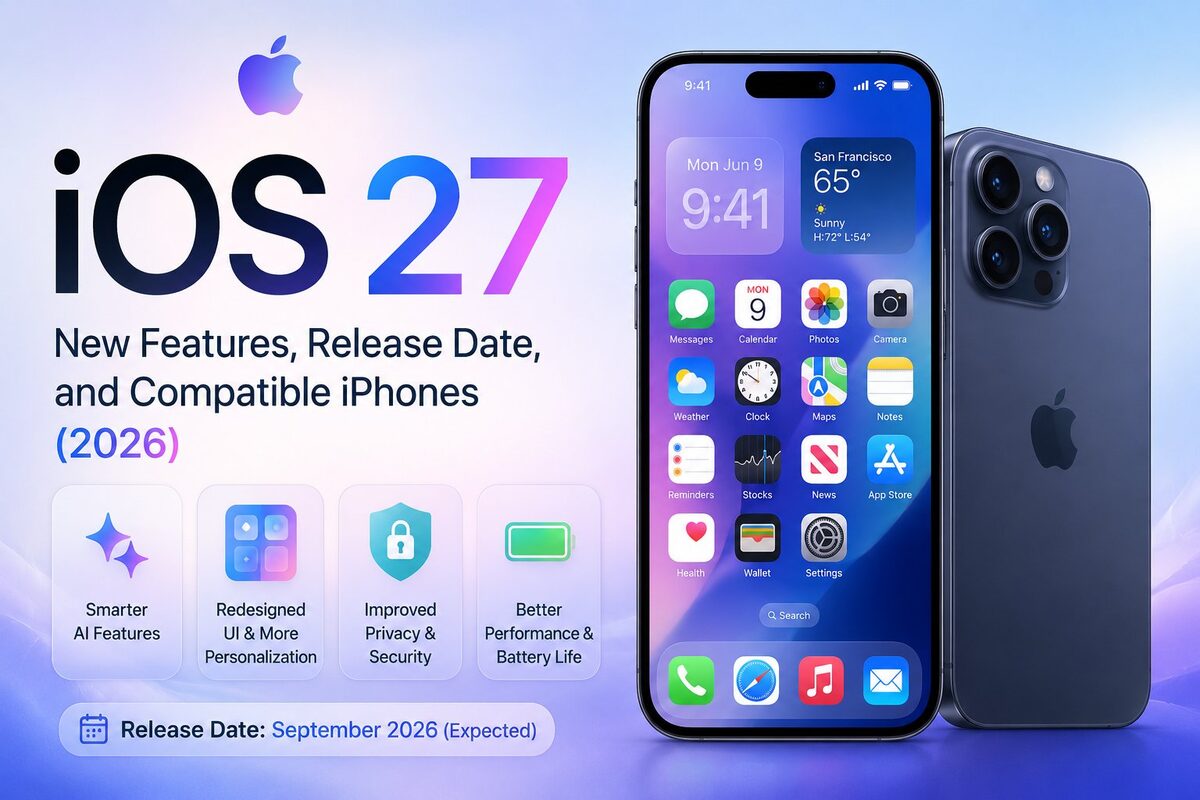
iOS 27 is officially announced. It’s coming to your iPhone this fall, and if you’ve been waiting for Apple to take AI seriously, this is the update. Here is everything you need to know, from the features to the release date to which iPhones will actually support it.
iOS 27 Release Date
Let us start with the basics.
iOS 27 was announced on June 8, 2026, at Apple’s WWDC 2026 keynote at Apple Park in Cupertino. The developer beta is available right now, as of today. The public beta is expected in mid-July 2026. The official public release is expected around September 14, 2026, alongside the launch of the iPhone 18 lineup.
Apple has followed the same June announcement, September release pattern for years. iOS 27 will not be an exception.
iOS 27 Beta Dates at a Glance
- Developer Beta 1: Available now (June 8, 2026)
- Public Beta: Mid-July 2026
- Official Release: Around September 14, 2026
If you are on a secondary device and want to try early, you can enroll at beta.apple.com. If your iPhone is your only phone, wait for the public release. Early betas can drain your battery, crash your app, and cause general instability that you shouldn’t deal with on a daily driver.
iOS 27 Compatible Devices: Which iPhones Are Supported?
Here is some genuinely good news, especially for those holding onto older hardware.
Apple confirmed that every iPhone that runs iOS 26 will also run iOS 27. That pushes compatibility all the way back to the iPhone 11 series, launched in 2019. No models are being cut this year.
Full iOS 27 Compatibility List
- iPhone 17 series (all models)
- iPhone 16 series (all models including 16e)
- iPhone 15 series (all models)
- iPhone 14 series (all models)
- iPhone 13 series (all models including 13 mini)
- iPhone 12 series (all models including 12 mini)
- iPhone SE (3rd generation)
- iPhone 11 series (11, 11 Pro, 11 Pro Max)
That is 22+ supported iPhones in total. iPhone XS and older will not receive iOS 27.
Apple Intelligence Features: Not for Everyone
There is a catch worth knowing about. While the full iOS 27 update runs on all the devices above, the new Apple Intelligence and Siri AI features require an iPhone 15 Pro or newer with an A17 Pro chip and at least 8GB of RAM. iPhone 12 through 15 (non-Pro) will get iOS 27 but without the advanced AI capabilities.
Think of it as two tiers. The iOS 27 experience and the full iOS 27 AI experience.
The Biggest iOS 27 New Features
Siri AI: Finally Rebuilt From the Ground Up
This is the headline of WWDC 2026, and it deserves to be.
As confirmed on the Apple Newsroom, Apple has completely remade Siri. The new Siri AI is powered by Google Gemini, specifically a custom 1.2-trillion-parameter model that Apple is reportedly paying Google around $1 billion annually to use. Apple said Google’s technology offered the most capable foundation for the next generation of Apple Intelligence features. If you want to understand how Gemini compares to other leading AI models, our ChatGPT vs Claude vs Gemini comparison covers it in full.
What does this actually mean for you?
Siri now has real on-screen awareness. It reads what you are looking at in real time. If you receive a text with flight details, you can hold the side button and say, “Add this to my calendar and text the arrival time to my mom.” “Siri reads the screen, creates the event, and sends the message. No copy-pasting, no switching apps manually.
Siri also gets a standalone app for the first time ever. You can type or talk to it like a chatbot. It remembers context from previous questions. It works across all your apps and can complete multi-step tasks without needing to hand you off to a web link.
Over a 90-minute keynote, Apple mentioned Siri more than 100 times. That says everything about where Apple’s priorities are this year.
Siri Mode in the Camera App
Apple is moving Visual Intelligence directly into the Camera app as a dedicated Siri mode. Previously, accessing Visual Intelligence in iOS 26 required pressing and holding the camera control button. Most people did not even know it existed.
In iOS 27, Siri mode sits right alongside Photo, Video, Portrait, and Panorama in the Camera app. Point your camera at anything—restaurants, landmarks, plants, products, or a receipt at a restaurant—and Siri will identify and analyze it in real time. It is Apple’s answer to Google Lens, and it is actually built where people will find it.
Apple Intelligence Updates in iOS 27
Siri gets most of the attention, but Apple Intelligence is getting a broad upgrade across the whole system.
Safari
Safari gets AI-powered tab management that automatically groups related tabs together and keeps those groups updated over time. A new “Notify Me” feature lets you monitor any webpage for changes using plain language. Tell Safari to notify you when a product goes on sale or when a news article is updated. It works without you needing to think about it.
Messages and Phone
Messages now offers AI-generated reply suggestions that are actually contextual, not generic. The Siri writing tools will also learn the communication style of who you are messaging, adapting suggestions to match how that person writes.
The Phone app provides useful cross-app integration. During a call with an airline, for example, it can automatically pull up your flight number from your email. No more fumbling between apps mid-conversation.
Photos
Three new AI editing tools are coming to Photos in iOS 27.
Clean Up gets a significant upgrade with more realistic results even in complex backgrounds. Extend lets you expand a photo beyond its original frame and change the aspect ratio. Spatial Reframe lets you reposition the virtual camera angle of a photo after you’ve taken it. You drag to adjust the framing, and Apple Intelligence fills in the gaps using on-device spatial models.
These are serious photo editing capabilities that used to require third-party apps. They are now built in.
Search
Apple rebuilt the search foundation that powers Spotlight, Photos search, and Mail search across iOS, iPadOS, and macOS 27. The VP of OS Program Management at Apple put it plainly during the keynote: “We’ve all had that moment when you search for something you know is there, but it just won’t show up.” That is getting fixed.
Shortcuts and Dictation
You can now describe what you want a shortcut to do in plain language, and the Shortcuts app builds it for you. No more manual configuration of complex automation chains.
A new system-wide AI dictation tool is also coming. It cleans up filler words in real time and auto-corrects punctuation and capitalization as you speak.
Liquid Glass Design: Refinements, Not a Redesign
iOS 26 introduced the Liquid Glass design language last year. Reception was mixed. Some people liked the translucent aesthetic. Others found it harder to read and visually overwhelming.
Apple is not abandoning Liquid Glass in iOS 27, but they are giving you more control over it. A new system-wide transparency slider lets you dial back the glass effects or push them further depending on your preference. There is also a new layered, three-dimensional approach to icons and interface elements within apps.
If you struggled with readability in iOS 26, iOS 27 should improve that noticeably.
Parental Controls Get a Major Overhaul
This is a feature that does not get enough coverage but genuinely matters for families.
iOS 27 introduces mandatory child accounts for anyone under 13. Parents get a new “Ask to Browse” feature that requires children to request permission before visiting unfamiliar or sensitive websites, with notifications sent to the parent’s device. “Ask to Buy” works similarly for in-app purchases and App Store transactions.
Communication Safety now automatically blurs nudity in images for users under 18 and identifies and blocks violent or graphic content. Smart Screen Time includes expert-approved daily recommendations for screen time across different content categories, with a redesigned dashboard to track digital activity more clearly.
Performance: iOS 27 Is Significantly Faster
Apple made serious performance improvements in iOS 27, including on older devices. The numbers they shared during the keynote are worth noting.
Apps launch up to 30% faster. The Photos library loads up to 70% quicker. AirDrop transfers are up to 80% faster. External storage file transfers are up to 5 times faster. Apple also optimized the CPU scheduler to bring performance improvements to older hardware, which is why the iPhone 11 staying on the compatibility list actually makes sense this year.
Health App: Perimenopause and Menopause Tracking
Apple is expanding its Health app in iOS 27 to include comprehensive cycle tracking for perimenopause and menopause. This was notably absent from previous versions and fills a significant gap in Apple’s women’s health coverage.
Tim Cook’s Final WWDC
This feels worth mentioning even in a features article because it sets the context for everything else.
iOS 27 was unveiled at Tim Cook’s final WWDC as Apple CEO. TechCrunch covered the full keynote in detail if you want a complete blow-by-blow of the announcements. Cook confirmed he will step down on September 1, 2026, handing the role to John Ternus, currently Apple’s senior VP of hardware engineering. Cook ended the keynote with a heartfelt message to the developer community.
This is the last major product direction Cook will set at Apple. The fact that he chose AI as the defining theme of his final keynote says something about where Apple is headed. iOS 27 is not just a software update. It is a statement about what Apple thinks the next era of the iPhone should look like.
iOS 27 vs iOS 26: What Actually Changed
iOS 26 introduced the Liquid Glass design and early Apple Intelligence features but was widely criticized for crashes and battery issues. iOS 27 is being positioned as the stability and AI delivery update that iOS 26 was supposed to be.
The short version: iOS 26 changed how your iPhone looks. iOS 27 changes what your iPhone can actually do. The AI running underneath features like Siri AI and cross-app actions is part of the broader agentic AI shift we have been tracking across the industry.
Should You Install the iOS 27 Beta?
If you have a spare iPhone, go ahead. Developer Beta 1 is already available. The public beta in July will be safer for most people. But if your only iPhone is your daily driver, wait for the September release.
The features are impressive. The timeline is clear. There is no compelling reason to rush into beta software on a device you rely on every day.
Frequently Asked Questions
iOS 27 is Apple’s next major iPhone operating system, announced at WWDC 2026 on June 8. It brings a rebuilt Siri AI powered by Google Gemini, major performance improvements, new Photos editing tools, parental controls, and refinements to the Liquid Glass design.
The official iOS 27 release date is expected around September 14, 2026, alongside the iPhone 18 launch. The developer beta is available now, and the public beta arrives in mid-July 2026.
iOS 27 supports every iPhone that ran iOS 26, from iPhone 11 up to iPhone 17. No models are being dropped this year. However, the full Siri AI and Apple Intelligence features require iPhone 15 Pro or newer.
The biggest features are Siri AI (rebuilt with Google Gemini), visual intelligence in the Camera app, AI photo editing in Photos (Extend, Spatial Reframe, and Clean Up), Safari tab management, major parental controls, and performance improvements across the board.
iOS 27 Siri is powered by Google Gemini, not ChatGPT. Apple is reportedly paying Google around $1 billion annually to use a custom Gemini model as the foundation for its Apple Intelligence features.
Yes. Apple confirmed iOS 27 supports the iPhone 11 and newer. However, the advanced Siri AI and Apple Intelligence features require iPhone 15 Pro or later due to chip and RAM requirements.
Siri AI is a completely rebuilt version of Apple’s voice assistant with on-screen awareness, personal context from your apps, cross-app task completion, and a new standalone Siri app. It is the most significant Siri update since the assistant launched in 2011.
Stay updated with the latest iOS 27 news and Apple updates on Technwz.