
Here’s the honest version of this conversation that most tech sites skip.
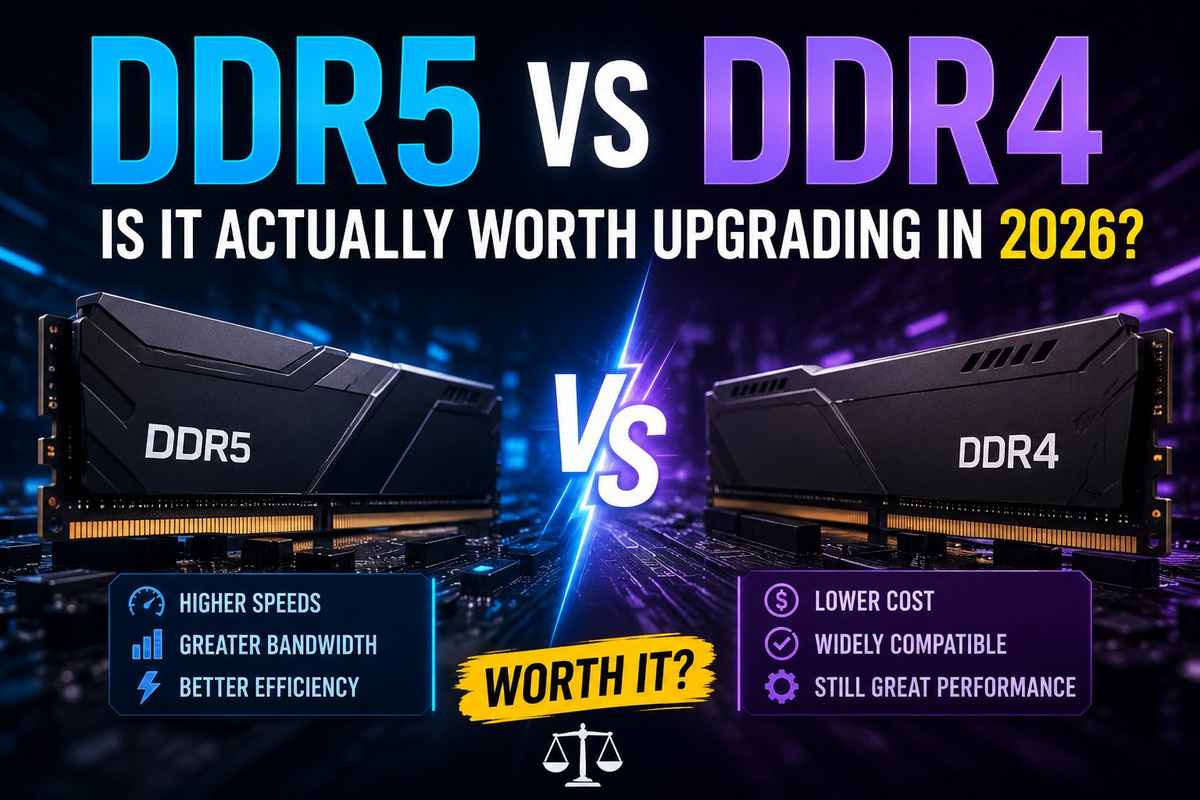
DDR5 is faster on paper. DDR4 is cheaper and works fine for most people. And depending on what you’re doing, the difference between the two in real-world use might genuinely surprise you. Sometimes DDR5 is significantly better. Sometimes DDR4 performs adequately.
I’ve seen people spend an extra $150 upgrading to DDR5 and gain 3 more FPS in their favorite games. Not exactly life-changing.
But I’ve also seen workstation builds where DDR5 made a real, noticeable difference in render times and multitasking. So the answer, like most PC hardware questions, is “it depends.”
Let me break it down properly.
What is the actual difference between DDR4 and DDR5?
DDR stands for Double Data Rate. The number that follows indicates the generation. Higher generation means newer technology, higher speeds, and some architectural changes under the hood.
DDR4 has been the standard for about a decade now. It launched with Intel’s Skylake platform back in 2015 and has been the default choice ever since. Most people building or buying a PC between 2016 and 2022 have DDR4 in their system right now.
DDR5 was launched alongside Intel’s 12th gen Alder Lake in late 2021. AMD followed with Ryzen 7000 series support in 2022. As of 2026, DDR5 is the standard for any new high-end build on current platforms.
The Key Technical Differences
Speed: DDR4 typically runs at 2133 to 3600 MHz in most consumer systems. DDR5 starts at 4800 MHz and goes up to 7200 MHz and beyond for enthusiast kits. The raw bandwidth gap is significant.
Capacity: DDR5 modules can hold more memory per stick. 32GB single sticks are common for DDR5. DDR4 maxes out at 16GB per stick for most consumer modules.
Power consumption: DDR5 runs at 1.1V compared to DDR4’s 1.2V. Slightly lower power draw per module, though in practice the difference is small for desktop users. More relevant for laptops.
On-die ECC: DDR5 has error correction built into each module. This helps with stability at high speeds and is a genuine architectural improvement over DDR4.
Dual-channel architecture: DDR5 sticks have two 32-bit channels per module instead of one 64-bit channel. This changes how bandwidth is delivered and is part of why DDR5 scales better in certain workloads.
DDR5 vs DDR4 Gaming Performance: The Real Numbers
This is what most people actually want to know. Does DDR5 make games run better?
Short answer: a little. Not as much as you might expect from the specs.
Testing by Digital Trends found rarely more than a 10% difference between DDR5 and DDR4 in real-world gaming scenarios. In specific titles like Assassin’s Creed Valhalla and Far Cry 6, the gap is often just 2 to 3%. At 1080p with a mid-range GPU, that’s basically noise.
Where DDR5 starts pulling ahead is in CPU-heavy workloads. Multitasking, content creation, streaming while gaming, and simulation games are all activities that can be done simultaneously. Anything that hammers the memory controller heavily sees more meaningful gains. Up to 20% improvement in multi-core performance has been documented in specific workloads.
For pure gaming? The GPU is still the bottleneck in most scenarios. Your RTX 4070 doesn’t care much whether it’s backed by DDR4-3600 or DDR5-6000. The frame times won’t budge much.
The exception is integrated graphics. If you’re running AMD’s APUs or Intel’s integrated graphics without a dedicated GPU, faster RAM makes a big difference because the iGPU shares your system memory. In that case, DDR5 is genuinely worth it.
DDR5 RAM Speeds Explained
DDR5 speed ratings can be confusing. Here’s a quick breakdown:
- DDR5-4800: Base JEDEC spec. This is the default setting for every DDR5 kit when XMP/EXPO is not enabled. Decent but not exciting.
- DDR5-5600: Sweet spot for most Intel builds. Good performance without needing aggressive timings.
- DDR5-6000: The golden frequency for AMD Ryzen 7000 and 9000 series. Syncs up well with the Infinity Fabric clock.
- DDR5-6400: High performance, getting into enthusiast territory. Crucial Pro DDR5 32GB kits at this speed are popular right now.
- DDR5-7200 and above: Enthusiast overclock territory. Real performance gains in benchmarks come with a higher price and may not be stable without tuning.
For gaming, DDR5-6000 is the sweet spot right now. Anything above that gives diminishing returns unless you’re doing serious content work or benchmarking. Tom’s Hardware’s RAM benchmark hierarchy ranks every major kit tested across both platforms if you want to compare specific options.
DDR5 RAM Speeds for Laptops
DDR5 SO-DIMM for laptops runs at slightly different speeds. The 16GB DDR5 SO-DIMM 5600MHz sticks are currently the most common upgrade option for laptops. If you’re upgrading a gaming laptop, check whether your system takes SO-DIMM or uses soldered memory before buying anything.
Why Is DDR5 RAM So Expensive?
This is a fair question, and the answer has a few parts.
First, manufacturing costs. DDR5 requires more complex fabrication than DDR4. The on-die ECC, the dual-channel architecture per stick, and the tighter tolerances needed for high-speed operation all add to production cost.
Second, the market transition. DDR4 has been in mass production for a decade. The supply chain is mature, yields are high, and competition keeps prices low. DDR5 production is still scaling up, though it’s significantly more mature in 2026 than it was in 2022.
Third, demand. As AMD Ryzen 7000/9000 and Intel 12th gen onwards all require DDR5 on their high-end platforms, demand has increased substantially. But supply hasn’t caught up proportionally at the higher speed bins.
The good news is DDR5 prices have dropped significantly since 2022. A 32GB DDR5-6000 kit that cost $180 in 2022 can now be found closer to $80 to $100 depending on the brand and speed. The premium over DDR4 has shrunk.
That said, if you’re building on an older platform that supports both DDR4 and DDR5 (like Intel 12th or 13th gen), DDR4 is still the more cost-effective choice unless you have specific reasons to go DDR5.
DDR5 RAM Motherboard Compatibility: What You Need to Know
This is where people sometimes get confused. DDR4 and DDR5 are not physically interchangeable. The slots are different. You cannot put a DDR5 stick in a DDR4 motherboard or vice versa.
Here’s a quick platform compatibility overview for 2026:
DDR5 only:
- Intel Core Ultra 200 series (Arrow Lake)
- AMD Ryzen 9000 series (Granite Ridge)
- AMD Ryzen 7000 series (Zen 4)
DDR4 only:
- Intel 10th and 11th gen
- AMD Ryzen 5000 series and older
Both DDR4 and DDR5 (depends on motherboard):
- Intel 12th gen (Alder Lake)
- Intel 13th gen (Raptor Lake)
- Intel 14th gen (Raptor Lake Refresh)
For the dual-support Intel platforms, the motherboard determines which type you can use. A Z690 board might come in DDR4 or DDR5 variants. Always check before buying RAM.
One important note: DDR5 RAM requires a DDR5-compatible motherboard. You can’t just buy DDR5 sticks and stick them in any board. Check your motherboard’s specs page before ordering anything.
Best DDR5 RAM Options Right Now
A few DDR5 kits worth knowing about in 2026:
Neo Forza Trinity DDR5 32GB
The Neo Forza Trinity DDR5 32G RAM has been getting a lot of attention recently, and for good reason. It offers solid performance at a competitive price point. KD 8 on search data suggests it’s a relatively low-competition term, meaning people are actively searching for it, but not many sites are covering it.
Crucial Pro DDR5 RAM 32GB Kit 6400 MHz
The Crucial Pro DDR5 32GB kit at 6400MHz is one of the better value options in the high-speed DDR5 space. Crucial uses Micron dies, which tend to be stable and consistent. 6400MHz is a meaningful speed for both Intel and AMD platforms.
Good for: anyone who wants reliable DDR5 performance without paying the premium for G.Skill or Corsair branding.
G.Skill Trident Z Royal DDR5
The RAM Trident Z Royal DDR5 is G.Skill’s flagship aesthetic-focused DDR5 line. The product features a crown-shaped RGB heatspreader, premium Hynix dies, and speeds ranging from DDR5-6000 to over 7200.
It’s not cheap. But if you care about how your build looks and want performance to match, it’s one of the best DDR5 kits available. The Trident Z Royal DDR5 has a loyal following in the enthusiast community.
16GB DDR5-6000 RAM (Budget Option)
If 32GB is overkill for your use case, 16GB DDR5-6000 kits exist from Kingston, TeamGroup, and Patriot in the $40 to $55 range. Fine for gaming on a budget. Not ideal for content creation or heavy multitasking.
64GB DDR5 RAM
If you’re building a workstation or a streaming PC that runs multiple applications simultaneously, 64GB DDR5 kits are available and more reasonably priced than they used to be. Two 32GB sticks of DDR5-5600 or 6000 give you the capacity and speed for demanding workloads.
For gaming, 64GB is overkill. Even the most demanding games in 2026 don’t come close to using 32GB, let alone 64GB. Stick to 32GB unless you have a specific reason to go higher.
DDR4 vs DDR5: Which Should You Actually Buy?
Here’s the honest decision framework:
Buy DDR5 if:
- You’re building a new PC on a current platform (Ryzen 9000, Core Ultra 200, Ryzen 7000, Intel 14th gen with DDR5 board)
- You do video editing, 3D rendering, streaming, or other CPU-heavy tasks alongside gaming
- You want your build to be relevant for longer without needing a RAM upgrade
- Budget isn’t a major concern
Stick with DDR4 if:
- You already have a working DDR4 system that performs well
- You’re on an older platform that doesn’t support DDR5
- Your use case is primarily gaming and you have a dedicated GPU
- You’re building on a budget and the money saved on DDR4 can go toward a better GPU
The Upgrade Question
If you have DDR4-3600 in a current system and it’s performing fine, upgrading to DDR5 requires a new motherboard and likely a new CPU too. That’s not a RAM upgrade. That’s a platform upgrade. The cost doesn’t make sense for most people just to gain a few fps.
If you’re building from scratch on a modern platform, DDR5 is the natural choice. You’re not paying a dramatic premium anymore, and you’re future-proofing your build.
PC Gamer’s best RAM for gaming guide is worth bookmarking if you want hands-on tested recommendations for specific kits across both DDR4 and DDR5.
DDR5 RAM for Laptops: What’s Different
DDR5 in laptops uses the SO-DIMM form factor. The technology is the same, but the physical module is smaller.
The 16GB DDR5 SO-DIMM 5600 MHz is currently the most common single-stick upgrade for gaming laptops. Most mid-range to high-end gaming laptops released in 2024 and 2025 ship with DDR5 SO-DIMM.
A few things specific to laptop RAM:
Many modern laptops solder the RAM directly to the motherboard. If that’s your laptop, you can’t upgrade it at all. Check before assuming you can swap it out.
Laptop DDR5 runs at lower voltages than desktop DDR5 to protect battery life. Speed is also slightly lower. DDR5-5600 is the sweet spot for most gaming laptop upgrades.
If your laptop takes upgradeable DDR5 SO-DIMM, going from 16GB to 32GB (two 16GB sticks) is one of the best performance-per-dollar upgrades you can make on any gaming laptop.
Does RAM Speed Actually Matter for Gaming?
This comes up a lot and deserves a direct answer.
Yes, but less than most people think. And it depends heavily on your platform.
AMD Ryzen processors are more sensitive to RAM speed than Intel chips, because the Infinity Fabric (which connects CPU cores and cache) is tied to the memory clock. DDR5-6000 is specifically recommended for the Ryzen 7000 and 9000 series because it keeps the Infinity Fabric running at its optimal 3000 MHz frequency.
Intel processors are less RAM-sensitive in general. You’ll see gains going from DDR4-2133 to DDR4-3600, but after that the returns get small fast.
The biggest mistake people make is buying the fastest RAM available without enabling XMP or EXPO. If you buy DDR5-6000 but your BIOS is running it at DDR5-4800 because XMP isn’t enabled, you’re leaving performance on the table. Always enable XMP (Intel) or EXPO (AMD) in your BIOS after installing new RAM.
For a broader look at how RAM fits into your overall gaming setup and what capacity makes sense for your needs, our guide on how much RAM you need for gaming breaks it down by use case.
Building a New PC: DDR4 or DDR5?
If you’re starting fresh in 2026, here’s the practical picture.
Any current-gen CPU you’d want to buy (AMD Ryzen 7000/9000, Intel Core Ultra 200 series) is DDR5 only. The DDR4-compatible Intel 12th/13th gen chips are still available, but they’re last-gen hardware now.
So if you’re buying a new CPU today, you’re almost certainly going DDR5 whether you planned to or not.
The question is more about which DDR5 kit makes sense for your build. For most gaming builds in 2026, a 32GB DDR5-6000 kit is the recommendation. It’s the sweet spot for capacity, speed, and price.
If you want a full breakdown of what to consider when putting together a gaming PC, our ultimate guide to buying a gaming PC covers every component decision you’ll face. And once your build is running, our gaming PC optimization guide covers the software and settings side of getting the best performance out of your hardware.
Frequently Asked Questions
Marginally, yes. In most games the difference is 2 to 5%. The bigger gains are in CPU-heavy workloads like content creation, streaming, and multitasking. For pure gaming with a dedicated GPU, DDR4-3600 and DDR5-6000 perform similarly.
No. They’re physically incompatible. DDR4 and DDR5 use different slots. Check your motherboard specs before buying any RAM.
DDR5-6000 is the ideal choice for AMD Ryzen 7000 and 9000. DDR5-5600 or 6000 works well for Intel platforms. Going above DDR5-7200 yields diminishing returns for gaming.
The manufacturing process is becoming more complex, the supply chain is still maturing, and there is higher demand from new platforms. Prices have dropped significantly since 2022, but DDR5 still costs more than DDR4.
Crucial Pro DDR5 32GB 6400MHz for value, G.Skill Trident Z Royal DDR5 for performance and aesthetics, and Kingston Fury Beast DDR5-6000 for a reliable mid-range option.
Yes, 32GB is more than enough for gaming in 2026. Even demanding titles don’t use more than 16GB. 32GB gives you headroom for background tasks and future-proofing.
Yes, AMD is more sensitive to RAM speed due to the Infinity Fabric. DDR5-6000 is specifically beneficial for Ryzen 7000/9000. Intel benefits less but still gains from faster RAM to a point.
XMP (Extreme Memory Profile) is Intel’s standard for running RAM above its base JEDEC speed. EXPO (Extended Profiles for Overclocking) is AMD’s equivalent. Always enable whichever applies to your platform in the BIOS after installing RAM.
32GB for gaming in 2026. 16GB is technically enough for most games but leaves little room for background apps. 32GB kits have dropped in price enough that it’s worth it.
Last updated: June 2026