
Unfoundscape is a free browser toolbox for PDFs, images, video, audio and developer jobs, and it says your files never leave your device. Asraful Islam Redwan, Founder of Unfoundid, built it in Bangladesh. It went public in October 2026. It costs nothing, and I hit no signup wall.
Here’s the thing. Free file tools have a bad record. Two online PDF makers leaked thousands of uploaded documents in 2024, passports and contracts included. So a site that promises no uploads gets my attention. Sure, the promise sounds great. But a promise is just text on a page, so I tested it.
What is Unfoundscape and what can it do?
Unfoundscape sorts its tools into nine groups: PDF (19), image (12), text (15), developer (24), audio (2), video (5), calculators (9), encoding (9) and utilities (18). That adds up to 113, and the tools page says the same. The founder told me 109, so the site has grown since. The search bar used to say “50+ offline tools.” It now says “113+,” so that one is fixed.
A few tools stand out.
- Combine Work: It chains merging, two-up pages per sheet, page numbering and optimization into one run.
- Video tools: A compressor, a trimmer, a GIF maker and a screen and webcam recorder.
- Odd extras: An AES-256 file encryptor, a passport photo maker and an invoice generator. Strange mix. I kind of like it.
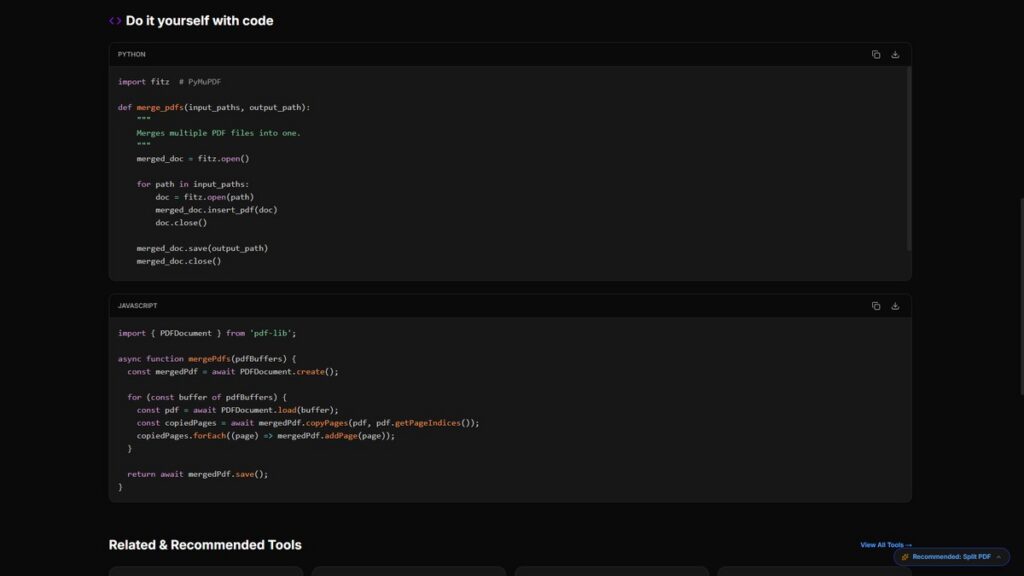
The pages also carry code under “Do it yourself with code.” Encrypted Secret Link and Voice-to-Text had none when I first looked. Split PDF and the Image Compressor were missing Python. The founder said he fixed all of it, so I rechecked. Merge PDF, Split PDF, Image Compressor, Video Compressor, Encrypted Secret Link and Voice-to-Text now show both JavaScript and Python. I haven’t opened all 113 pages, but his claim held on every one I tried. Showing the code is a smart move for a privacy pitch.
Do your files really stay on your device?
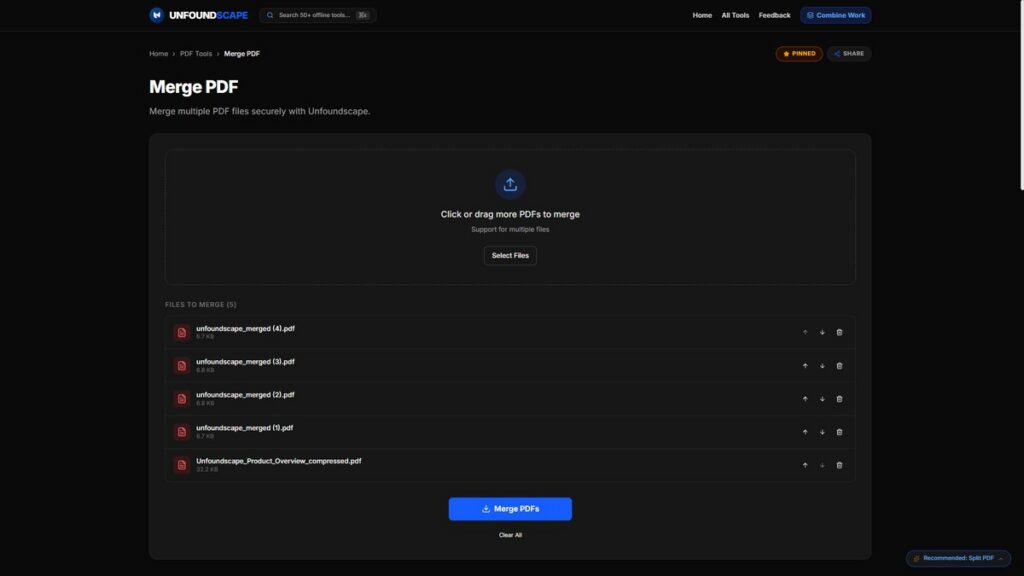
For the tools I tested, yes. Merge PDF sent no upload requests in the Network tab, and it kept working with my connection switched off. The image compressor and the video compressor showed no upload calls in their page code either.
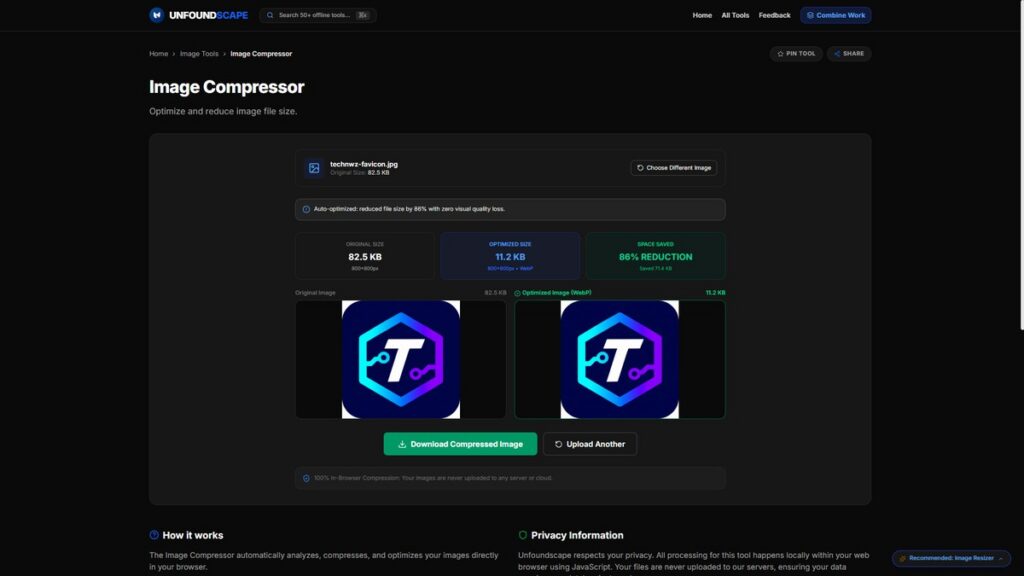
I put the Technwz favicon through the image compressor. It shrank from 82.5 KB to 11.2 KB, an 86% cut, and switched to WebP. The page used to promise zero visual quality loss. I pushed back, and he changed the result notice. I ran a test image through to read it. It now says the tool preserves “crystal-clear visual quality.” That’s softer, but it’s still a big claim, because the code on the page sets WebP quality to 0.82, which is lossy. A cut that big plus a format change usually costs something, even if my eyes couldn’t spot it on a small logo.
One tool failed. An experimental AI translator stopped working offline and threw failed requests, which contradicted the all-local claim. I told Redwan. He removed it within a day, and I checked both the homepage and the direct tool address. It’s gone. That raised my trust a notch, not because the tool failed, but because he fixed it fast.
I can’t vouch for every tool. Call the all-local claim likely, not proven.
What still touches the network?
A few things do. None of them are hidden, and the founder disclosed them when I asked.
- Feedback board: It stores public comments in Google Firebase Firestore. When I looked, it held one test comment.
- Telemetry: The privacy policy mentions page visit counts and tool search keywords.
- Voice tools: Voice-to-Text and Pronunciator use the browser’s built-in speech recognition. In Chrome, that sends audio to Google’s speech service. That’s the browser’s doing, not his server, but it isn’t “nothing leaves your device.” Both pages now say so in a privacy notice, which I confirmed on the live site. On Pronunciator, only the mic practice test is affected.
- Ads: The pages have ad slots. A free tool has to pay for itself somehow.
How does the Encrypted Secret Link work?
The tool encrypts your message in the browser and tucks it inside the link after the # symbol. That part of a web address never goes to a server. It uses AES-256-GCM with 100,000 PBKDF2 iterations.
It used to be called Secret Note, with a Burn-After-Reading label. I told Redwan that a link holding its own message can’t delete itself, so “self-destructing” oversold it. He renamed the tool. Good call.
Share the link and the password through different channels. Otherwise the encryption buys you very little.
How can you test any browser tool yourself?
Run this two-minute check on any tool that claims to work locally.
- Open DevTools. Press F12 and click the Network tab.
- Run the tool. Load the page, clear the log, then process a dummy file.
- Watch for uploads. Look for large POST or PUT requests. Extensions add noise, and mine showed antivirus and writing-assistant add-ons chatting away, so filter those out.
- Go offline. Load the page, turn off Wi-Fi, then run the tool again. If it still works, it’s local.
Free converters carry another risk too. PDFs can hide malicious code, so download results only from tools you trust.
Is Unfoundscape worth using?
My take: yes for everyday jobs, with your eyes open. Resizing images, merging public PDFs and quick edits are all fine. For IDs, contracts or tax papers, run the offline test first. Skip the voice tools if privacy matters to you. If you’re tightening up your wider setup, my guide to what actually matters for online privacy covers the other layers.
It’s a solo project with almost no track record. The founder fixed every point I raised within days, and that counts for something. I’m curious whether the code snippets stay on every tool as the site grows.
Frequently Asked Questions
The file tools I tested process everything in your browser and make no uploads. That makes it reasonable for everyday files. The voice tools are the exception, since Chrome’s speech recognition sends audio to Google. For sensitive documents, run the offline test first.
Yes. I saw no signup wall or paywall on any page I opened. The pages carry ad slots.
The site says it works offline after the first load as a progressive web app. Merge PDF kept working in my offline test. I didn’t test every tool, and the voice tools need a connection.
Unfoundid makes it. Asraful Islam Redwan, an independent developer from Bangladesh, is its founder.
Many upload your files to a server, and that’s the risk. Look for tools that process files in your browser, then verify it with the network test above.
Usually yes, because your files never leave your device. It isn’t automatic, so check the Network tab and the privacy policy.