
Came back to Delta Force: Hawk Ops after about two months away and immediately lost three operation runs back to back. The M4A1 buff had apparently happened while I was gone, the M250 I’d been running comfortably through most of Season 1 now felt noticeably harder to control past 40 meters, and the two new maps that came with the April patch were clearly built around a different kind of play than what I’d been doing. Took a while to catch up.
Sure, that’s just how live-service shooters work. There’s no denying that. But if you’ve been away or you’re just starting out, the amount that changed in the April 2026 patch is genuinely a lot to process at once. This guide covers where things stand right now: weapon tier list, best loadouts by class and mode, how matchmaking works, crossplay, controller support, server issues, and the fixes that actually resolve the most common errors without sending you down a rabbit hole.
What Is Delta Force: Hawk Ops?
Delta Force: Hawk Ops is a free-to-play tactical first-person shooter developed by Team Jade. It’s a reboot of the classic Delta Force series from the late 1990s and early 2000s, and it blends two gameplay modes that feel genuinely different from each other. Warfare is a large-scale mode with vehicles, big maps, and objective-based team play, something like Battlefield. Operations is tighter, extraction-based, and pulls more from the Tarkov school of design: go in with a loadout, complete objectives, try to get out with your gear.
It launched on PC via Steam first, then came to PS5 and Xbox Series X|S in 2025. Free to play means no upfront cost. Cosmetics and seasonal passes are where the monetization lives, but the core gameplay and competitive modes are entirely accessible without spending anything. There’s also a Black Hawk Down campaign mode that lets you replay the 1993 Somalia mission as an elite operator. Worth doing once. Just know that it doesn’t support crossplay co-op between PC and console, which has been a frustration point in the community for months and still hasn’t been resolved.
What Changed in the April 2026 Patch
The April 2026 patch was the biggest meta shift the game had seen in at least two seasons. The M4A1 got a real damage buff: base damage went from 29 to 31, and armor penetration improved. Two new maps came in that actively punish static suppression play, which had been the dominant style for most of Season 1. And the M250 took recoil nerfs that dropped base control from 45 to 40, which sounds minor until you try to use it past 40 meters and it starts wandering in ways it didn’t before.
The new maps are probably the bigger change, honestly. Aftershock has earthquake cycles that collapse buildings every 90 to 120 seconds and reshape sightlines mid-round. A sniper position that exists when you set up might not exist 60 seconds later. Space City 2.0 has diagonal sightlines that reward information advantage over raw DPS. Both maps specifically punish players who dig into one spot and stay there, which is the opposite of what was rewarded in earlier seasons.
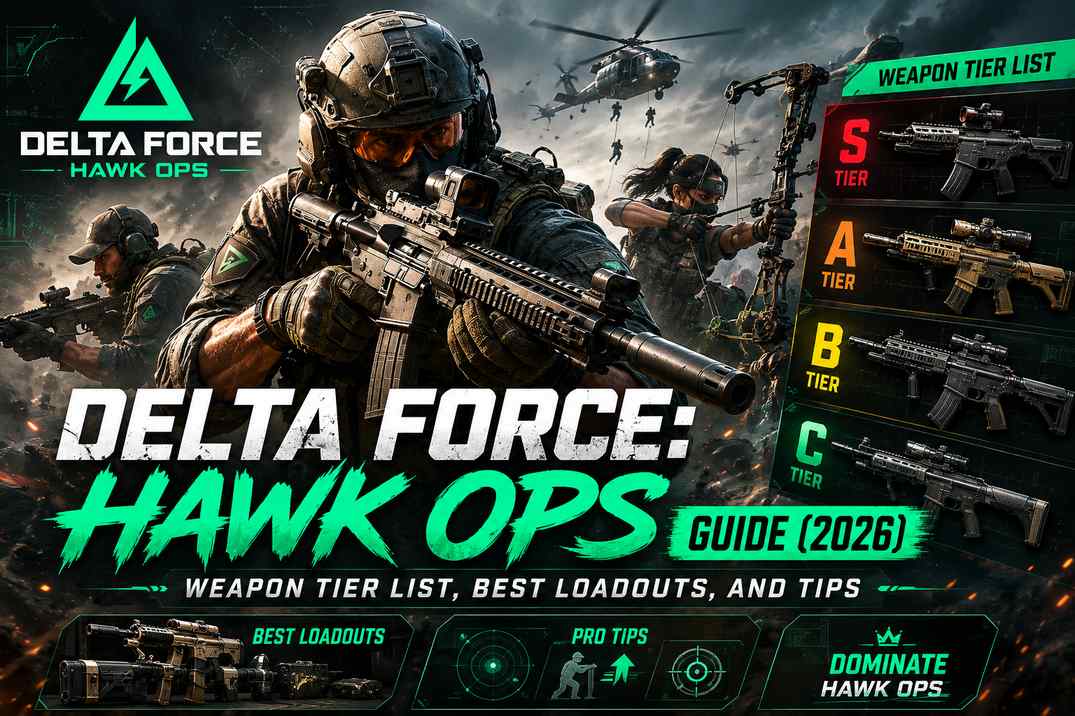
Delta Force Weapon Tier List (April 2026 Patch Meta)
The thing with Delta Force tier lists is that mode context overrides everything else. A weapon that dominates in operations close quarters might be useless on Aftershock’s open sightlines. That distinction matters more than most players give it credit for, especially once you’re pushing into ranked.
S-Tier
The M4A1 is the dominant weapon post-patch, and there’s no real debate about that in the community right now. At 672 RPM with improved armor penetration, the DPS advantage at 0 to 40 meters is simply better than everything else in its class. Pre-patch pick rate was 10.1 percent. That number is going up, and quickly. On Aftershock, where dynamic destruction creates constant mid-range engagements, the M4A1’s advantage at that distance bracket becomes the deciding factor in most fights. It doesn’t just perform well. It defines the tempo of the engagement in a way other ARs don’t.
The best build uses Sandstorm Vertical Compensator for recoil control, AR Gabriel Barrel, and Secret Order Bevel Foregrip. 45-round magazine as standard. The import code is 6FINC4G0CQTV1IBVCBQVT and I’d recommend importing it rather than building it manually, let’s say especially before the first ranked session of a new season when you’re trying to settle in quickly without spending 20 minutes in Gunsmith.
CI-19 sits right alongside it. 9.5 percent pick rate, works extremely well with Luna’s wall marking ability, and on Space City 2.0’s diagonal sightlines it’s arguably the stronger choice because information advantage matters more than raw DPS at those angles. The M4A1 and CI-19 aren’t competing for the same slot, which is the thing. Sure, they’re both assault rifles. But their optimal contexts are different enough that rotating between them across maps and modes makes sense rather than treating one as strictly better.
AWM is the Recon sniper pick. 100 damage out to 200 meters and still the most reliable option at range on most maps. It drops from S to situational specifically on Aftershock because the earthquake cycles destroy sniper nests mid-rotation. For that map you want something you can move with.
A-Tier
The M7 battle rifle has been climbing steadily, from 7 percent pick rate in Season 20 to 9.5 percent in Season 3. That’s sustained growth, not a patch spike. It takes adjustment, particularly the handling at close range, but with the right build it becomes a punishing option at medium distance in Warfare. My honest take: most players dismiss it too early because the first few sessions feel clunky. It rewards patience more than most weapons in this game.
SCAR-H remains one of the community’s favorite options and for good reason. Excellent control, strong accuracy, and it benefits significantly from a drum mag attachment in extended fights. Best for holding extraction zones or pushing fortified positions rather than close-range aggression.
The M250 dropped from S-tier after the recoil nerf and I felt that one personally. It’s still viable with a full recoil-control attachment build in Operations, to illustrate: locking down corridors during compound breaches or suppressing enemies so teammates can advance on objectives. But it needs those attachments now. Without them, it’s a harder version of a fight than you need to be having.
Budget and Beginner Picks
CAR-15 is free from the start and performs well enough at close to medium range that newer players won’t feel hopelessly outgunned. It’s not meta. But it teaches the game’s positioning fundamentals without risking anything, which has genuine value when you’re still figuring out which angles matter on each map.
K416 is what I’d actually recommend as a step up before committing to a full meta build. Versatile across indoor and outdoor engagements, doesn’t demand perfect mechanical play to get value from. For a deeper breakdown of every weapon with full stat comparisons and class compatibility notes, BlueStacks’ Delta Force Hawk Ops weapon tier list goes through each tier in more detail than I can cover here.
Delta Force Best Loadouts by Class
In a nutshell, Delta Force runs four operator classes: Assault, Support, Engineer, and Recon. Your loadout should be built around your class role rather than just equipping the highest-damage weapon available. Sure, you can technically run most weapons on any class. There’s no hard lock preventing that. However, the synergy between your operator ability and your weapon type matters far more than raw stats, especially once you’re in ranked lobbies where coordinated squads punish teams without role clarity.
Assault: D-Wolf or Nox + M4A1
D-Wolf is the A-tier Assault pick for solo queue. Self-sufficient, mobility focused, and the M4A1 with HE Grenade Launcher covers infantry and light vehicle threats without needing extra gadget slots for each. Nox is worth considering specifically on Aftershock where silent movement during earthquake rotations creates flanking angles other operators simply can’t access. Higher skill floor, no question. But when it clicks it feels more dynamic than anything else in the Assault category.
Full build: M4A1 with Sandstorm Compensator, AR Gabriel Barrel, Secret Order Foregrip, 45-round mag, G18 secondary, Tac Dagger melee, HE Grenade Launcher gadget.
Support: Stinger + SMG-45
Stinger is S-tier Support and the most impactful class in a coordinated squad right now. Rapid heals, strong utility, and the SMG-45 pairing is specifically suited to the close-range positions Support players occupy during objective play. SMG-45 is effective to 40 meters, Poseidon Foregrip and Fission Long Barrel keep recoil manageable, and the combination sits at around 6.1 percent pick rate in competitive lobbies. It complements a squad’s overall survivability well. It really does.
Build: SMG-45 with Echo Suppressor, Fission Barrel, AR Heavy Tower Grip, 40-round mag, smoke grenade for repositioning, and Detection Arrow gadget for CQC intel.
Recon: Luna + AWM
Luna is the SS-tier operator and there’s no denying it. Her wall marks compound every other operator’s effectiveness. Her Detection Arrow dismantles the positional setups that Watcher-type plays depend on. The AWM pairing for overwatch creates information dominance that the other classes can’t replicate with the same consistency. She unlocks at 500 Delta Coins. That’s the highest-value single investment in the current meta, with regard to the overall impact on squad performance across modes. Import codes: AWM at 6F50VEC0CH8TK2MI8PG7U, SR-3M at 6FFVV9O02IUUSDGSUS7DN for close-range secondary.
Engineer: Anti-Vehicle Focus
Engineer’s primary value post-patch is anti-vehicle work. Amphibious vehicles on Aftershock added a layer to the vehicle meta that Engineer is best positioned to counter. Gizmo is the most reliable anti-vehicle pick when coordinating around the earthquake timer. M250 with AT4 or Stinger gadgets handles both infantry suppression and vehicle threats without needing to swap loadouts between them.
Operations vs Warfare: Why Your Loadout Should Be Different
Something I didn’t take seriously early enough was how different operations and warfare actually are as modes. I was running one loadout for both and wondering why certain fights felt off. They reward fundamentally different playstyles and building one setup to cover both is a compromise that serves neither particularly well.
Operations rewards role assignment before you drop in. One operator suppresses, one overwatches, others breach or secure objectives. Close to medium range engagements dominate. The AS VAL is worth highlighting for stealth-oriented runs because its suppressed fire lets a squad breach quietly without triggering alarm states, let’s say within the first 60 seconds of entry before the noise compounds into a full hostile response. K416 is the fallback when the mission composition is unclear.
Warfare needs weapons that perform at varied engagement distances. Static suppression is losing ground post-patch to mobility and information-driven plays. Luna Recon builds and mobile Assault setups are gaining pick rate. LMG campers are finding fewer situations where their approach pays off on the new maps.
Grade Match Locked in Delta Force
If you’re seeing grade match locked in Delta Force, it means your rank is too high or too low for the lobby you’re trying to join. The fix is to progress through ranked or wait for the matchmaking pool to broaden during lower player-count periods, which it does automatically. It’s not a bug and it’s not an account issue.
How Does Delta Force Matchmaking Work?
Delta Force matchmaking in Operations groups players by combat rating and equipment tier. Running high-value gear aggressively pushes you into lobbies with more experienced opponents. There’s no passive MMR decay currently, so rank from an earlier season stays as your baseline until the next seasonal reset.
It’s not just your kill rate that gets factored in. Extraction rate, squad coordination data, and equipment value all get tracked across multiple sessions. A single good session won’t dramatically shift your bracket. That also means a single bad one won’t tank it either.
Does Delta Force Have Controller Support?
Yes. Full controller support on PC. Crossplay is a different matter. It’s off by default on PS5 and Xbox Series X|S, which catches a lot of console players off guard when they can’t find lobbies or when friends on different platforms can’t join each other.
To enable it on console: go to the lobby menu from the Black Site, press left on the D-pad plus X/A to enter the lobby, open Settings via Options or Menu, and toggle Crossplay on the Game tab. PC players don’t have this toggle. Crossplay is always active on PC. For a step-by-step walkthrough with exact button inputs per platform, Shacknews’ Delta Force crossplay guide is the clearest breakdown available.
If you’re new to the game on console, I’d keep crossplay off for the first few sessions, let’s say until you can extract consistently and have a feel for the gear economy. PC players carry higher gear values early in any seasonal ladder and the matchmaking doesn’t fully separate for skill level when crossplay is active.
Cross-progression works across all platforms. Link your Level Infinite account and your loot, weapons, skins, and progress all carry over. Grinding a loadout on PC and switching to console doesn’t reset anything. It’s one thing Delta Force does genuinely well.
Is Delta Force Down? How to Check Server Status
Server issues are a constant topic with Delta Force, which makes sense given how frequently patches drop and how many players hit the servers simultaneously after each one. If the game is unresponsive, the quickest check is whether other multiplayer games work fine on your connection. If they do, it’s almost certainly Delta Force’s servers rather than a local issue.
Official Team Jade channels on X and Discord post status updates during outages. The r/DeltaForceGame subreddit usually has a thread within minutes of widespread problems starting. Common server-side indicators: login timeout rather than connection timeout, and multiple players in your region reporting the same error at the same time.
Common Errors and Fixes
Connection Failed / Connection Error
Almost always either server-side or firewall-related. To illustrate: if the game worked yesterday and broke today after a patch, that’s server-side almost every time. Check official channels before spending time on local fixes.
For firewall issues, go to Windows Firewall, confirm that Delta Force and its launcher are on the allowed apps list, add them if not, and restart the game. If that doesn’t resolve it, changing DNS to Google (8.8.8.8) or Cloudflare (1.1.1.1) fixes connection routing issues that aren’t related to the game’s servers.
Crashing on PC
First check: confirm the game is running on your dedicated GPU rather than integrated graphics. Go to Windows Graphics Settings, find Delta Force, and set GPU preference to High Performance. Laptops with both integrated and dedicated graphics default to integrated if this isn’t set manually, and fixing that single setting resolves crashes for a lot of players.
Outdated GPU drivers are the second most common cause. Download directly from NVIDIA or AMD rather than through Windows Update. CPU running hot during Warfare matches is worth monitoring too, by the way, the particle effects and destruction physics genuinely spike CPU load in ways that simpler games don’t. HWInfo for temperature monitoring, and clean your cooling solution if you’re consistently hitting 90 degrees Celsius under load.
ACE Anti-Cheat Errors
Disable third-party software that hooks into system processes: RGB software, overclocking tools, certain VPNs. Verify game files through Steam and run the launcher as administrator. Running Delta Force in a virtual machine is detected and blocked by ACE. There’s no workaround for that. Bare metal only.
For broader PC stability guidance across demanding online games, our PC optimization guide covers the settings and driver configuration that reduce crashes and connection problems over time.
System Requirements
Black Hawk Down
Minimum: Core i5-6600K or Ryzen 5 1600, 8GB RAM, GTX 1060 or RX 580, 50GB storage, Windows 10 64-bit. Recommended: Core i7-8700K or Ryzen 7 3700X, 16GB RAM, RTX 2070 or RX 5700 XT.
Hawk Ops
Minimum: Core i5-8600K or Ryzen 5 3600, 8GB RAM, GTX 1070 or RX 5700, 100GB storage. Recommended: Core i7-10700K or Ryzen 7 5800X, 16GB RAM, RTX 3070 or RX 6800 XT.
If you’re building or upgrading specifically for online tactical shooters, our gaming PC buying guide covers the hardware decisions that matter most for stable multiplayer performance.
Season 2 and What’s New
Season 2 brought new operators, maps, and balance changes that shifted the competitive meta from the launch period. Updated ranked rewards and a revised Tekniq Alloy economy for unlocking operators and attachments came with it.
Luna at 500 Delta Coins remains the most justified spend in the current meta. Everything else is accessible through free progression via Operations and Warfare. It just takes longer. That trade-off is reasonable for a free-to-play game, honestly more generous than a lot of comparable games in the same category. For a broader look at how the free-to-play tactical shooter market evolved and where Delta Force fits into that history, our piece on how the gaming industry has changed over the last decade covers the structural shifts that made this model dominant.
Tips That Actually Make a Difference
Learn the Aftershock earthquake timer
The 90 to 120 second cycle is consistent. Players who track it rotate safely before the collapse. Players who don’t lose their position, and sometimes their gear, every single cycle without understanding why it keeps happening.
Unlock operators in meta order
Luna first, then Stinger, then D-Wolf, then Shepherd, Gizmo, Nox, Raptor. Each costs 500 Delta Coins. That order reflects actual competitive value, not the game’s default progression framing, which doesn’t necessarily point you toward the most impactful unlocks first.
Use the interactive map for Operations
Community interactive maps show objective locations, extraction points, and high-loot areas for each map. Learning those on the two or three maps you play most frequently cuts real-time decision making significantly during missions. The gap between players who know the map and players who don’t is enormous in Operations specifically.
Check Delta Force Steam Charts before ranked queuing
Active player counts by time of day are visible through Steam Charts. Peak hours mean faster matchmaking and more balanced lobbies. Off-peak ranked queues fill slowly and can produce bracket mismatches that feel genuinely unfair because in many cases they are.
Use Gunsmith import codes
Most top-tier weapon builds have community-published import codes that recreate the optimal attachment configuration in seconds. The M4A1 code (6FINC4G0CQTV1IBVCBQVT) and CI-19 code (6HLOANO09MFFCME3G7LT2) alone cover most of what you need for competitive Assault play across the current season.
Frequently Asked Questions
Yes, fully free on PC via Steam, PS5, and Xbox Series X|S. Cosmetics and seasonal passes are paid but all competitive modes require no spending.
Yes, across PC, PS5, Xbox, and mobile. Off by default on console and needs to be manually enabled. Black Hawk Down campaign co-op doesn’t support PC to console crossplay as of June 2026.
Yes. Full controller support on PC and on mobile.
M4A1 and CI-19 for ARs post-April patch. AWM for Recon. SMG-45 for Support. M250 still viable in Operations with a full recoil-control build.
Check Windows Firewall, verify game files through Steam, and confirm the servers aren’t down via Discord or community channels. If it continues, switch DNS to 8.8.8.8 or 1.1.1.1 and restart your router.