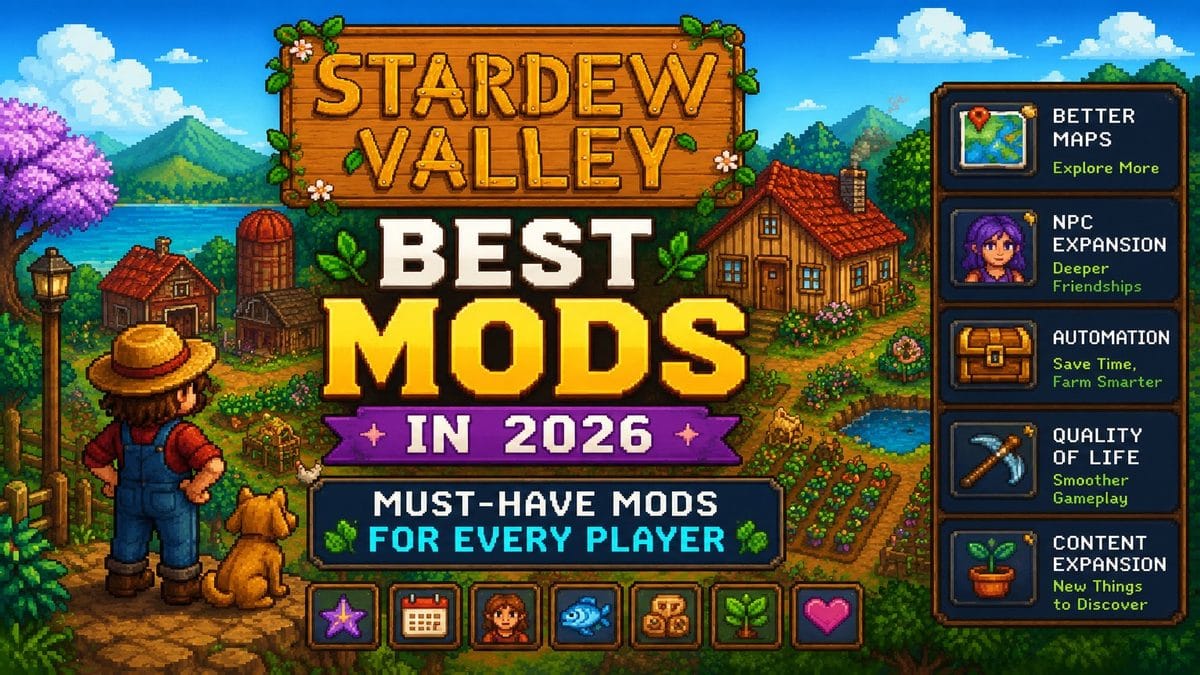

Here’s the thing about Stardew Valley. It’s already a fantastic game. ConcernedApe built something genuinely special, and the base game alone has swallowed thousands of hours from millions of players. But what happens after your third or fourth playthrough? The cracks start to show with the same crops, same festivals, and same dialogue from the same 30 villagers.
That’s where mods come in. The Stardew Valley modding scene in 2026 is massive. Nexus Mods alone has tens of thousands of mods for this game, ranging from tiny UI tweaks to full-blown expansions that add entire new towns, characters, and storylines. And how much gaming has changed in the last decade is part of why modding communities like this one have grown so big. The hard part isn’t knowing which ones are worth your time. It’s figuring out which ones are actually worth your time.
This list covers the best add-ons right now, organized by category, with a section at the end on exactly how to install them if you’ve never done it before.
What You Need Before Installing Any Stardew Mods
Before you touch a single mod, you need SMAPI.
SMAPI stands for Stardew Modding API. It’s the framework that basically every mod for Stardew Valley runs through. Without it, you’re stuck manually replacing game files, which is messy, breaks constantly, and causes incompatibility nightmares. SMAPI makes everything cleaner. Dozens of mods can run at the same time without conflicting with each other.
It’s free, open source, and works on Windows, Mac, Linux, and Steam Deck. The only place you should download it from is smapi.io, the official site. Don’t grab it from random third-party sites.
One more thing before we get into the list. Back up your save files first. Mods are stable in 2026, especially with SMAPI 4.5.1, but accidents happen. On Windows, your saves are there. Copy that folder somewhere safe before you start.
Okay. Now the good stuff.
The Best Mods to Install in 2026
1. Stardew Valley Expanded
If you choose to install only one mod, please make it this one.
Stardew Valley Expanded, or SVE, is the closest thing to an official expansion the game has ever had. It adds a new town called Grandpa’s Grove, 27 new NPCs with full storylines and heart events, new areas to explore, new fish, new crops, new quests, and a fully extended endgame. The writing is good enough that most players forget it’s a mod halfway through.
SVE is officially complete as of 2026, meaning no more waiting for updates or worrying about half-finished content. The creator FlashShifter even had early access to Stardew’s 1.6 codebase to make sure day-one compatibility was sorted. This mod is polished in a way that most paid DLC isn’t.
Download it from Nexus Mods. It requires Content Patcher and a few other frameworks to run, but the mod page explains all of that clearly.
2. Ridgeside Village
Think of Ridgeside Village as the second expansion mod you install right after SVE.
It adds a mountain village above Pelican Town with over 50 new NPCs, new festivals, new shops, new items, and a cable car system connecting it to the main valley. The sheer amount of content here is staggering. Some of the new characters are genuinely better written than the base game’s roster, which is a significant improvement.
Where SVE expands the world outward, Ridgeside adds vertical depth. They play well together if your PC can handle both.
3. NPC Map Locations
This one sounds small. It’s not.
NPC Map Locations puts every villager’s real-time location on your map. That’s it. That’s the mod. But anyone who has spent 20 minutes running around town trying to find Penny to give her a gift on her birthday knows exactly why this mod is essential. No more guessing. No more wasted days. You open the map, you see where everyone is, and you go there.
Install this immediately. It doesn’t change anything about the game. It just removes one of the most irritating parts of it.
4. CJB Cheats Menu
This one is for the players who’ve done multiple playthroughs and just want to relax without the early grind.
CJB Cheats Menu gives you an in-game menu where you can adjust things like move speed, inventory size, time scale, and stamina. You can make the days longer, skip the energy system, or set your farming level to whatever you want from the start. It doesn’t force you to use any of these things. It just makes them available.
Veteran players love the flexibility. New players probably shouldn’t touch it on their first run, since part of the early game charm is working within limitations. But once you’ve done that twice? Having the option is nice.
5. Automate
Automate connects your machines. Chests, kegs, furnaces, and preserve jars—all of it. When you walk away, the game keeps processing your goods automatically as long as the input chest has materials.
This is a quality-of-life mod that fundamentally changes how you play the mid and late game. Instead of manually loading every keg with fruit and checking back every few days, your machines run themselves. You focus on farming, fishing, mining, or whatever you actually want to do.
The efficiency gains are significant. Your gold output per season goes up noticeably once Automate is running. f quality-of-life mods like this one are your thing, I’ve rounded up more of the best QOL mods worth installing separately.
6. Lookup Anything
Press F1 on anything in the game. Literally anything. A crop, an NPC, an item in a shop, a fish in the water, and a monster in the mines are all examples of different elements in the game. Lookup Anything pulls up a detailed information panel showing you everything about that object.
- For crops, it tells you how many days until harvest, what it sells for, and what artisan products you can make from it.
- For NPCs, it shows their schedule, gift preferences, and current heart level.
- For items, it shows crafting recipes and shop availability.
The game’s wiki becomes significantly less necessary once the mod is installed. Everything you’d normally look up is just one button press away.
7. Pokemon Ranch Mod Stardew Valley
This one is exactly what it sounds like, and it’s brilliant.
The Pokémon Ranch mod for Stardew Valley reskins your farm animals and livestock as Pokémon. Cows become Miltank. Sheep become Mareep. There are versions that go further and turn buildings into Pokémon Gyms and replace villager portraits with Pokémon-themed art. If you grew up playing both games, this mod is unreasonably satisfying.
The modding forums on Stardew Valley have a massive dedicated thread to Pokemon-themed retextures, and the quality ranges from simple palette swaps to completely hand-drawn sprites. Search Nexus Mods for “Pokemon Stardew” and you’ll find more options than you can reasonably install.
8. Stardew Valley Portrait Mods
The base game’s character art is charming in its simplicity. But after a thousand hours, some players want something different.
Portrait mods replace the dialogue portraits for all the main characters. The range is enormous. Some go for a more detailed anime-style look. Others stay close to the original pixel aesthetic but with higher resolution. DaisyNiko’s Earthy Recolor is one of the most downloaded portrait-adjacent visual mods, giving the whole game a softer, warmer color palette that feels more grounded.
If you’re going to install a portrait mod, check the screenshot previews carefully on Nexus Mods before downloading. Art style is personal, and there are hundreds of options.
9. Stardew Valley Furry Mod
Not every mod is for everyone, and this one has a very specific audience. But it deserves a mention because of how many people are actively searching for it.
The Stardew Valley furry mod category covers a range of texture replacements that give characters, animals, and NPCs an anthropomorphic look. Some are subtle portrait swaps. Others go further and replace sprite sheets and farm animals entirely. The community on Nexus Mods that creates and maintains these is surprisingly active, and the quality of the artwork is genuinely impressive in some cases.
If such content is your thing, search “furry” on Nexus Mods under the Stardew Valley section. You will find many options.
10. Crops Anytime Anywhere
One of Stardew’s biggest friction points is the seasonal crop system. Planted the wrong thing and a season changed? Gone. Did you want to grow strawberries in autumn? Nope.
Crops Anytime Anywhere removes all of that. Any crop, any season, no decay when the season flips. You still need to buy the seeds each season since store inventory doesn’t change, but what you plant and when is entirely up to you.
Some players feel the change breaks the game’s rhythm, and that’s fair. But if you’re on your third playthrough and just want to build the farm you actually want without seasonal restrictions forcing your hand, this mod is a game changer.
11. Health and Stamina Regen
Stamina is the real limiting factor in early Stardew. Everything costs energy. Mining, farming, fishing, and chopping wood. You hit the energy cap, and your day is basically over.
Health and stamina regen make both stats regenerate slowly over time. It does not make you invincible. It just means the game is slightly less punishing when you’re trying to fit a lot into one day. During harder years or when players use expanded mods that add more content per day, this one quietly becomes essential.
How to Mod Stardew Valley: Step by Step
Never installed mods before? Here is the full process. Running heavily modded Stardew Valley does require a reasonably capable machine. If you want to know how much RAM you actually need before loading up ten or fifteen mods at once, our gaming RAM guide explains it clearly without all the technical jargon.
Step 1: Install SMAPI
Launch Stardew Valley without any mods at least once first. Then go to smapi.io and download the latest version. Please extract the zip file to any location, run the installer, and follow the prompts. It will automatically find your Stardew Valley folder.
After installation, SMAPI creates a Mods folder inside your game directory. That’s where everything goes from now on.
Step 2: Configure Steam
After SMAPI is installed, open Steam, right-click Stardew Valley, go to Properties, and paste the SMAPI launch command into the Launch Options field. SMAPI provides this command at the end of the installation. This ensures Steam launches the game through SMAPI rather than the vanilla executable.
Step 3: Download Stardew Valley Mods
Most Stardew Valley mods are on Nexus Mods. Create a free account. Find the mod you want, click the Files tab, and download the main file. You will get a zip file.
Some mods also require framework mods to work. Content Patcher is the most common one. If a mod page lists dependencies, download those first.
Step 4: How to Install Stardew Valley Mods
Extract the zip file. Inside, you will find a folder with a manifest.json file in it. That entire folder goes into your Mods directory inside the Stardew Valley game folder. Please do not extract the files themselves; instead, place the entire folder in there.
Step 5: Launch and Test
Launch Stardew Valley through Steam or directly through the StardewModdingAPI.exe. The SMAPI console window will open alongside the game, showing which mods loaded successfully and flagging any errors.
If something isn’t working, the SMAPI log is the most helpful resource. It tells you exactly which mod is causing an issue and usually why. If your game feels sluggish after adding several mods, it is worth going through our gaming PC optimization guide to squeeze more performance out of your setup before uninstalling mods you might not need to remove.
How to Download Mods Safely
Stick to Nexus Mods and ModDrop. Both platforms have active moderators and user reviews. Avoid random Discord links or websites you’ve never heard of. Stardew mods are generally safe, but downloading executable files from unknown sources is never a wise idea.
Always check when a mod was last updated. Mods that you haven’t touched since before version 1.6 may cause issues with current saves. The mod page usually shows compatibility information, and the SMAPI compatibility tracker at mods.smapi.io is the most reliable reference.
How to Move Spouse Rooms with Mods in Stardew Valley
This is one of the most searched modding questions for Stardew Valley, and the answer is simpler than most people expect.
The base game does not let you move your spouse’s room once they move in. Their bedroom stays where the game puts it. But a mod called Spouse Rooms Mod completely resolves this issue. It lets you reposition the spouse’s room to a location of your choosing inside the farmhouse, so your layout isn’t dictated by whoever you happen to marry.
You install it the same way as any other SMAPI mod. Download it from Nexus Mods, extract the folder into your Mods directory, and launch through SMAPI. A configuration file lets you set the exact position. Some players also pair it with Robin’s House Upgrade Dialogue Extended… If character and family mods are what you’re after, I’ve covered more of those separately, including kids growing up and new marriage content.
If interior layout is something you care about, this mod makes a real difference.
How to Create Custom Mods in Stardew Valley
This section is for people who want to go beyond using mods and actually make them.
The starting point is Content Patcher. It’s a framework that lets you replace textures, dialogue, maps, and game data without writing any code. You create a JSON file with instructions telling Content Patcher what to change and when. Most portrait mods and visual overhauls use it.
For more complex mods that change game behavior, such as new mechanics or new systems, you’ll need to write C# code using the SMAPI API. The official Stardew Valley modding documentation is thorough and well-maintained, covering everything from basic Content Patcher edits to full C# mod development. The Stardew Valley Discord also has a dedicated modding channel where veteran creators answer questions.
It is more involved than most people expect, but the Stardew Valley modding community is genuinely one of the friendliest in gaming. If you put in the time to learn it, you will find support.
Frequently Asked Questions
Stardew Valley Expanded, Ridgeside Village, NPC Map Locations, Automate, and Lookup Anything are the best starting mods. SVE alone adds enough content for a full second playthrough.
Yes, for almost all mods. SMAPI is the mod loader that makes mods work without breaking the game. Download it only from smapi.io.
Download SMAPI first, then download mods from Nexus Mods as zip files. Extract the mod folder and place it in the Mods directory of your Stardew Valley game folder. Launch through SMAPI.
Nexus Mods is the main platform. Create a free account, find the mod you want, and download the main file from the Files tab. ModDrop is a solid alternative.
Yes, as long as you use SMAPI and download mods from trusted platforms like Nexus Mods. Back up your save files before installing anything new.
They can if you remove a mod mid-playthrough that added content to your save. Adding mods is generally safe. Removing them without cleanup can cause issues. Always review a mod’s uninstall instructions before deleting it.
It’s a texture mod that reskins farm animals as Pokemon, turning cows into Miltank, sheep into Mareep, and more. Some versions also replace buildings and villager portraits with Pokemon-themed art. Search Nexus Mods for “Pokemon Stardew” to find it.
Use the Spouse Rooms Mod from Nexus Mods. Install it through SMAPI and edit the config file to reposition the room wherever you want inside the farmhouse.
It’s a category of texture mods that give characters, NPCs, and farm animals an anthropomorphic look. Search “furry” under Stardew Valley on Nexus Mods to find the available options.
Yes. SMAPI officially supports Steam Deck. The process is slightly different from Windows Check out my full platform-by-platform modding breakdown for Steam Deck, Mac, and mobile and why consoles don’t support mods at all.
Note: It is important to note that mod compatibility can change with game updates.