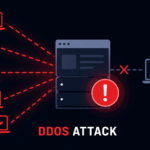
Picture this: It’s a Tuesday afternoon. You’re going about your day, and then your phone buzzes. A customer can’t load your website. You check it yourself, blank screen. You log into your hosting dashboard, and the server is flatlined. No warning, no explanation. Just… gone.
That’s what a DDoS attack feels like from the inside. And if you’ve never thought seriously about how to prevent a DDoS attack, there’s a good chance you won’t see it coming until it’s already causing you problems. These attacks have gotten cheaper and easier to pull off, which means they’re not just a “big company problem” anymore. Anyone with a website and an enemy (or just bad luck) can become a target.
The stuff in this guide actually works. No fluff, no vague advice. Just the real things you can set up to keep your site standing.
What Is a DDoS Attack, and Why Should You Care?
DDoS is short for Distributed Denial of Service. Here’s the basic idea: an attacker sends so much fake traffic to your server that it completely overwhelms the server and stops responding to real visitors. That traffic usually comes from thousands of hijacked devices: your neighbors’ infected laptops, old routers with weak passwords, and random devices sitting in warehouses all pointed at your website at once. If you’re entirely new to this topic, here’s a more detailed breakdown of what a DDoS attack actually is and how it works in real-world scenarios.
It’s not always targeted because you’re “important.” Honestly, a lot of the time it’s almost random. Maybe a competitor hired someone. Maybe a forum decided they didn’t like you. Maybe someone’s just running a stress-testing tool they downloaded, and your IP was in a list somewhere. The “why” matters less than you’d think. What matters is whether your site survives it.
And the fallout isn’t just technical. An hour of downtime means customers who bounced and didn’t come back. It means a Google crawl that found nothing. It means support tickets piling up while you scramble to figure out what’s happening. For an online store, a catastrophic attack on a busy day can cost more than a whole month of server bills.
How to Prevent DDoS Attack: Core Strategies That Actually Work
There’s no single thing you can flip on that makes you untouchable. Security doesn’t work that way. What does work is stacking a few layers of defense so that even if one gets punched through, the others are still holding. Here’s what that actually looks like in practice.
1. Get Behind a CDN. Seriously, Do This First
A Content Delivery Network (CDN) spreads copies of your site across servers around the world. When a visitor loads your page, the server that is geographically closest to them serves them. That cuts load times, which is nice, but the real benefit here is what happens during an attack.
Instead of thousands of malicious requests slamming your one server, they hit a global network with enormous capacity. Cloudflare, for example, handles more bandwidth than most attacks will ever generate. The attackers are essentially throwing rocks at a mountain.
Cloudflare’s free plan is a perfectly reasonable starting point for most small sites. Just sign up, update your nameservers, and you’re suddenly much harder to knock offline. That’s genuinely one of the highest-value things you can do in under an hour.
2. Turn On Rate Limiting
Rate limiting is precisely what it sounds like: you set a cap on how many requests one IP address can make to your server per minute. If a bot starts firing 5,000 requests per minute, rate limiting shows it the door before it causes real harm.
Nginx and Apache both support this feature natively with a few lines of config. If you’re already using Cloudflare or another CDN, it’s usually a toggle in the dashboard. It won’t stop a massive botnet on its own, but it filters out the lower-effort stuff and reduces the load that your other defenses have to deal with.
3. Set Up a Web Application Firewall (WAF)
A WAF sits in front of your web server and checks every incoming request before it gets through. Malformed packets, suspicious patterns, and known attack signatures—a decent WAF catches them and drops the traffic before it ever touches your application.
WAFs are most effective against Layer 7 attacks. These application-layer attacks are among the most difficult to detect because they often mimic real user behavior. A WAF can spot the pattern and cut it off even when the traffic looks human on the surface.
Cloudflare, Sucuri, and AWS WAF are solid options depending on your setup. Some take five minutes to configure. Others need more tuning. Either way, having one is meaningfully better than not having one.
If you want a deeper comparison, here’s a breakdown of the best DDoS protection tools in 2026, ranked by performance and use case.
4. Take a Hard Look at Your Hosting
Shared hosting is fine for many things. DDoS resilience isn’t one of them. On a shared server, you’re splitting resources with dozens of other websites. When an attack comes in, the whole machine suffers, not just you.
Moving to a VPS or a managed cloud host gives you dedicated resources and, usually, much better infrastructure-level protections. AWS has Shield, Google Cloud has similar tools, and most serious managed hosts have mitigation baked into their network. It costs more, but there’s a reason businesses that can’t afford downtime don’t run on shared servers.
5. Watch Your Traffic, Before the Attack, Not During
One thing that trips people up is not knowing what “normal” looks like for their site. If you have no baseline, a sudden spike in traffic just looks like traffic. Maybe it’s a good day? By the time you realize it’s an attack, you’re already deep in damage control.
Set up some kind of monitoring; even Google Analytics gives you enough to spot unusual patterns. Datadog, New Relic, or your host’s built-in logs all work. You want to notice when traffic from an odd region suddenly spikes at 3am, before your server is already gasping. If you’re unsure what warning signs to look for, this guide explains how to detect a DDoS attack early before it takes your site down.
Some CDNs will also send alerts when they detect anomalous patterns. It’s not perfect, but it buys you time to respond before things get ugly. Even tools like Google Analytics are enough to spot unusual spikes and patterns early.
6. Know What Anycast Is (Even If You Don’t Configure It Yourself)
If you’ve wondered why Cloudflare absorbs attacks so much better than a regular host, a big part of the answer is Anycast routing. Instead of your domain pointing to one server at one IP address, Anycast allows the same IP to exist on dozens of servers simultaneously. Traffic gets automatically routed to whichever one is closest and least loaded.
An attacker flooding an Anycast network is essentially trying to fill the ocean with a garden hose. The volume gets absorbed and spread automatically.
You don’t configure this type of protection yourself; it’s built into CDN infrastructure. But understanding it explains why “just get behind a CDN” is such consistently solid advice. It’s not a workaround. It’s a fundamentally different architecture.
7. Tighten Up Your Server Configuration
Beyond the big items, there’s a bunch of smaller things worth doing at the server level:
- SYN flood protection: Enable SYN cookies and reduce SYN-ACK retry limits. This helps handle one of the most common low-level attack patterns.
- Drop bad packets: Configure your firewall to reject malformed or invalid packets. Legitimate traffic doesn’t send garbage.
- Geo-blocking: If your entire customer base is in two or three countries, there’s no real reason to accept traffic from everywhere else. Block regions you don’t serve. It won’t stop a sophisticated attack, but it cuts the noise.
- IP blacklisting: Use threat intelligence feeds that maintain lists of known malicious IP ranges. Your firewall can pull these in automatically.
None of these individually will stop a serious attack. Together, they shrink the target that attackers have to aim at.
How to Prevent DDoS Attack When One Is Already Happening
Even if you’ve done everything right, attacks can still land. Here’s the order of operations when things are going wrong:
First slow down and make sure it’s actually an attack. A frightening traffic spike might be your newsletter going out, a Reddit thread blowing up, or a big publication linking to you. Check your analytics and server logs before you start blocking. Cutting off legitimate traffic feels just as bad as the attack.
Call your host or CDN right away. This step matters more than people realize. Most major providers team up specifically for DDoS situations. They have tools at the infrastructure level you can’t access yourself. A five-minute call might get you emergency filtering that relieves the pressure right away.
Enable “attack mode” if your CDN offers it. Cloudflare’s Under Attack Mode throws a JavaScript challenge at every visitor before they can load anything. Real browsers pass it in seconds. Most bots don’t. It adds a tiny bit of friction for real users but kills floods fast.
Block at the firewall level. If your logs show a flood from a specific IP range or country, block it temporarily. It’s not a permanent solution, but it buys time while you work on the real remedy
How to Prevent DDoS Attack with a Long-Term Mindset
Most of the work in security happens before anything goes wrong. Here’s what ongoing good practice actually looks like:
- Audit your setup regularly. At least once a quarter, review your firewall rules, server config, and access controls. Things drift over time, and old settings create gaps.
- Update everything. Attackers constantly scan for outdated plugins, old CMS versions, and unpatched server software dates. Dates are tedious. They’re also how you close real holes.
- Write an incident response plan. Decide now, while things are calm, who does what when an attack happens. You would rather not be making those decisions at the time.
- Test your defenses. Some security firms offer controlled load tests or penetration tests. Finding weak points yourself is much better than a real attacker finding them first.
- Keep backups. If everything goes wrong and your site gets defaced or corrupted during an attack, a recent backup is the difference between a rough afternoon and a full disaster.
What Does DDoS Protection Actually Cost?
Less than most people expect, at the entry level. Cloudflare’s free plan gives you real DDoS mitigation, not watered-down demo protection but actual filtering that handles the vast majority of attacks. Their Pro plan at $25/month adds more control. Enterprise tools from Akamai or Imperva are a different price bracket, but those are for platforms that genuinely can’t tolerate even minutes of downtime.
Reports from Kaspersky show that DDoS attacks continue to increase in both frequency and scale, which is why even basic protection is no longer optional.
For a small business or personal site: free CDN, decent hosting (somewhere in the $15–50/month range), and solid server hardening will cover you against almost everything you’re realistically going to face. Compare that to the cost of even one disastrous attack: lost sales, hours of recovery, and frustrated customers, and the math isn’t close.
If you’re running a smaller site, here are some DDoS protection tools for small websites.
FAQs: How to Prevent DDoS Attack
Yes, and it happens more often than people expect. Small sites are actually attractive targets precisely because their defenses are usually thinner. Attackers testing tools, competitors acting dirty, or random bad actors don’t necessarily care how much traffic you get.
Not with a 100% guarantee; nobody can promise that. What you can do is make your site resilient enough that most attacks fizzle out quickly, and the ones that do land cause minimal damage. The goal is survivability, not some kind of magical invincibility.
Honestly, it is better than most people expect. The free plan routes your traffic through Cloudflare’s network and includes real DDoS mitigation. For a typical small or medium site, it’s more than enough. Paid plans give you more custom rules, analytics, and priority support.
It can take anywhere from a few minutes to several days. Casual attackers tend to move on quickly if your defenses hold; there are easier targets out there. A determined, targeted attack creates a different situation that it can sustain and sometimes escalate in intensity. Either way, having protection before it starts makes a huge difference.
A DoS (Denial of Service) attack comes from one machine. A DDoS attack comes from many, often thousands, of compromised devices spread across multiple countries. The distributed nature is what makes it so difficult to stop with simple IP blocking. You can’t just ban one address.
If the attack causes real business damage, it’s worth filing a report. In most countries, authorities investigate serious DDoS attacks, which are illegal. Your hosting provider may also be able to assist with tracing the source or pursuing legal action.
A VPN hides your personal IP, which helps if you’re a gamer or remote worker who doesn’t want to be directly targeted. But for a website, the server’s IP is already public. That’s the idea. What protects the server is infrastructure-level security, not a VPN.
Final Words
No one launches a website expecting to get attacked. But the sites that handle it best aren’t just lucky; they did a little prep work ahead of time. A few solid hours spent on the right defenses is worth a lot more than a panicked all-nighter when your site goes dark.