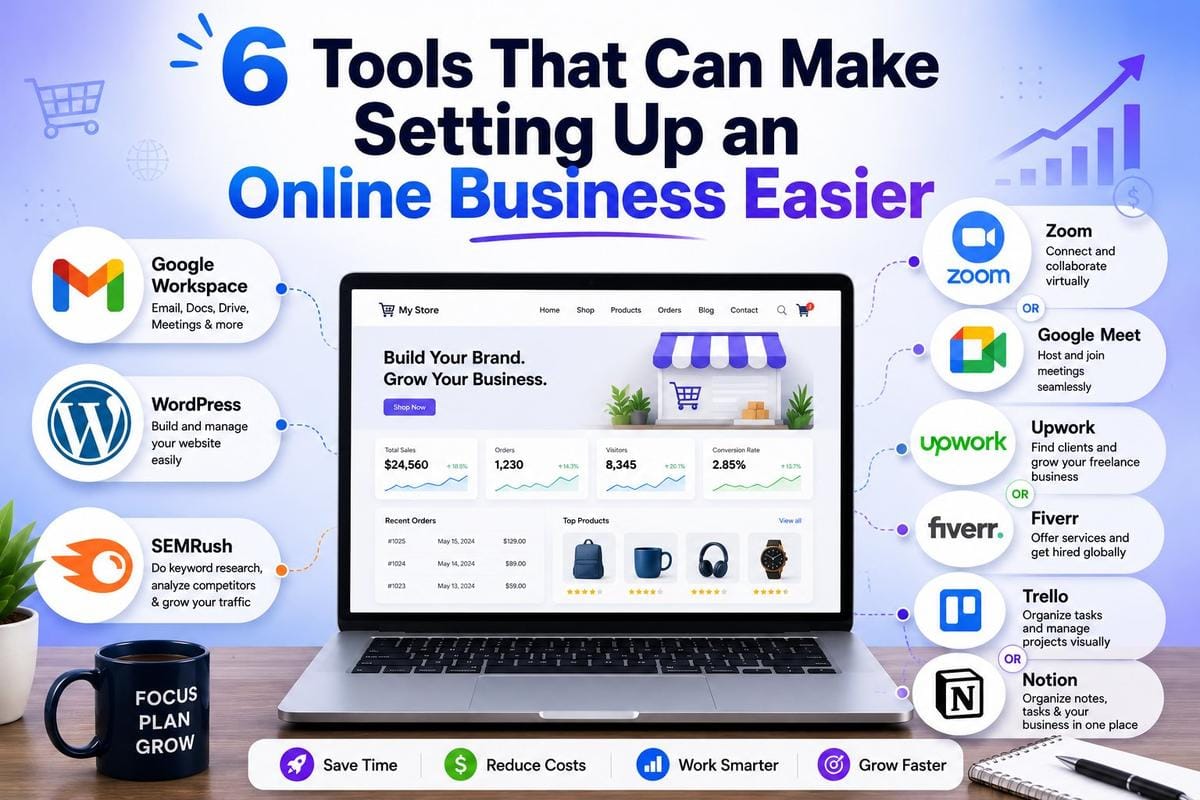

Starting an online business in 2026 looks very different from 2020. Back then, the big question was which video calling app to use. Now the question is which AI assistant handles your customer emails while you sleep. If you are still at the idea stage, our guide to launching your own startup covers the groundwork before you pick any tools.
We went back through our original list and tested what still holds up. Four tools survived. One got replaced because Microsoft killed it. And the whole list needed a rethink because AI changed what “essential” means for a small business.
Here is what we actually recommend now.
1. Google Workspace for Files, Docs, and Email
Google Drive is still the default answer for file storage and sharing, and honestly, nothing has come close to dethroning it for small teams.
What changed since 2021 is the AI layer. Google bundled Gemini into Workspace, so you get AI-assisted drafting in Docs, summaries in Gmail, and formula help in Sheets without paying for a separate tool. For a one-person business, that matters more than the storage itself.
The free personal account gets you 15GB. Once you register a domain for your business, the Workspace Starter plan gives you a professional email address, which does more for client trust than any logo ever will. We learned this lesson the hard way when a client ignored emails from a Gmail address for two weeks.
One tip: set up shared drives from day one, even if it is just you. Migrating files from “My Drive” to a team structure later is a weekend you will never get back.
2. WordPress for Your Website (Still, Yes)

Every year someone declares WordPress dead, and every year it keeps powering over 40 percent of the web. We run Technwz on it, so we are biased, but we are biased for a reason.
The 2026 version of this advice comes with caveats the 2021 version did not need:
Self-Hosted Beats WordPress.com for Most Businesses
WordPress.org (self-hosted) with a decent host gives you full control over plugins, SEO tools, and monetization. WordPress.com is simpler but boxes you in on the cheaper plans.
Skip the Page Builder Bloat
In 2021 we would have told you to grab Elementor and go wild. Now the block editor handles most layouts natively, and skipping every plugin results in a faster site. Site speed is a ranking factor, and bloated builders are the most common reason small business sites crawl.
If you sell products, WooCommerce bolts onto WordPress and handles payments, including UPI through gateways like Razorpay if you are selling in India.
3. Semrush for SEO and Marketing Research
Semrush remains the tool we reach for first when planning content. Keyword research, competitor analysis, backlink audits, and rank tracking. It is expensive, but it replaces four or five separate subscriptions.
The big shift since 2021: SEO is no longer just about Google’s ten blue links. People now find businesses through ChatGPT, Perplexity, and Google’s AI Overviews. Semrush added AI visibility tracking to monitor whether these tools mention your brand, which felt like a gimmick a year ago and now feels essential.
If the price stings, Ahrefs offers a limited free tier through Ahrefs Webmaster Tools, and Google Search Console plus Google Keyword Planner cover the absolute basics for free. Start for free, and upgrade when the data starts making you money.
4. Zoom or Google Meet for Business Communication
Here is the section that forced this update. Our 2021 article recommended Skype. Microsoft retired Skype on May 5, 2025, after 22 years, and moved everyone to Microsoft Teams. If you followed our old advice, we apologize, and also, it was good advice in 2021.
So what should a new online business use now?
Zoom for Client-Facing Calls
Zoom is what clients expect when you send a meeting link. The free plan caps group meetings at 40 minutes, which is annoying but survivable for a new business. One-on-one calls run longer.
Google Meet If You Already Use Workspace
If you took our advice in section one, Meet is already sitting in your Gmail sidebar. No extra account, no extra cost, and the quality gap with Zoom has basically closed.
Microsoft Teams If Your Clients Live in the Office
Teams is free and works, but in our experience it makes the most sense when your clients are corporate and already live inside Microsoft 365.
Pick one and stop thinking about it. Communication tools are a solved problem.
5. Upwork or Fiverr for Outsourcing Work
This advice from 2021 aged well. When you are starting out, you cannot hire full-time, and these two platforms are still the fastest way to rent a skill for a week. We have covered the pros and cons of outsourcing in more depth separately, but the short version is that it works when you treat it as renting expertise, not buying loyalty.
What has changed is what you should outsource. AI tools now handle a lot of the low-end work people used to buy on Fiverr: basic logos, simple copy, and background removal. Paying a freelancer for that in 2026 is usually a waste.
Where freelancers still earn their fee:
- Custom development work that AI tools get confidently wrong
- Design with actual brand thinking behind it
- Bookkeeping and compliance, especially across borders
- Video editing beyond template-level cuts
Upwork suits longer projects with vetted professionals. Fiverr suits fixed-price, quick-turnaround gigs. We use both, and the honest rule is to read the reviews from the last three months only. A profile’s five-year-old praise tells you nothing about who is fulfilling orders today.
6. Trello or Notion for Project Management
Trello is still here, still free for small teams, and still the easiest project board you can set up in five minutes. Atlassian owns it now and has kept it simple, which we respect.
But in 2026 we have to mention Notion in the same breath. Notion combines docs, databases, task boards, and a wiki in one tool, and its AI features can summarize meeting notes or draft project briefs inside your workspace. For a solo founder, Notion can replace Trello, Google Docs templates, and a notes app simultaneously.
Our take after using both:
- Pick Trello if you want a task board and nothing else. Zero learning curve.
- Pick Notion if you want a single tool to hold your entire business brain. Steeper curve, bigger payoff.
- ClickUp sits between them if neither feels right.
The wrong move is to use all three. Tool sprawl kills more productivity than any single subpar tool ever will.
Before You Wrap Up
The pattern across this whole update: the categories stayed the same, but AI got baked into every one of them. File storage is now drafting your documents. SEO tools track AI chatbots. Freelance platforms compete with AI for the simple jobs.
Our advice for 2026 is the same as 2021 with one addition. Please select one tool from each category, learn it thoroughly, and avoid shiny-object syndrome. Once your basic stack is running, the next productivity jump usually comes from automation, and our guide to business process automation services shows where to start. Revisiting your stack once a year is important, because as Skype proved, even a 22-year-old tool with hundreds of millions of users can simply disappear.